> ## Documentation Index
> Fetch the complete documentation index at: https://forest-chore-open-api.mintlify.site/llms.txt
> Use this file to discover all available pages before exploring further.
# Overview
> Trigger custom operations on your data across Forest and 3rd party apps
Actions are interactive buttons in Forest that execute operations on your data. They let you implement business logic, provide a secure way for users to update your data, and integrate with external services directly from your back-office.
## What are actions?
An action is a button that appears in the Forest interface. When clicked, it triggers custom logic - from simple field updates to more complex business logic.
Actions let you:
* Execute business operations (approve orders, ban users, send invoices)
* Integrate with external services (Stripe, SendGrid, Slack)
* Process data (bulk updates, exports, transformations)
* Implement approval processes
* Trigger webhooks to third-party tools
## Where actions appear
Actions are available throughout Forest:
* **Collections**
* **Table view**: Actions on records in table and detail views (single, bulk, or global actions)
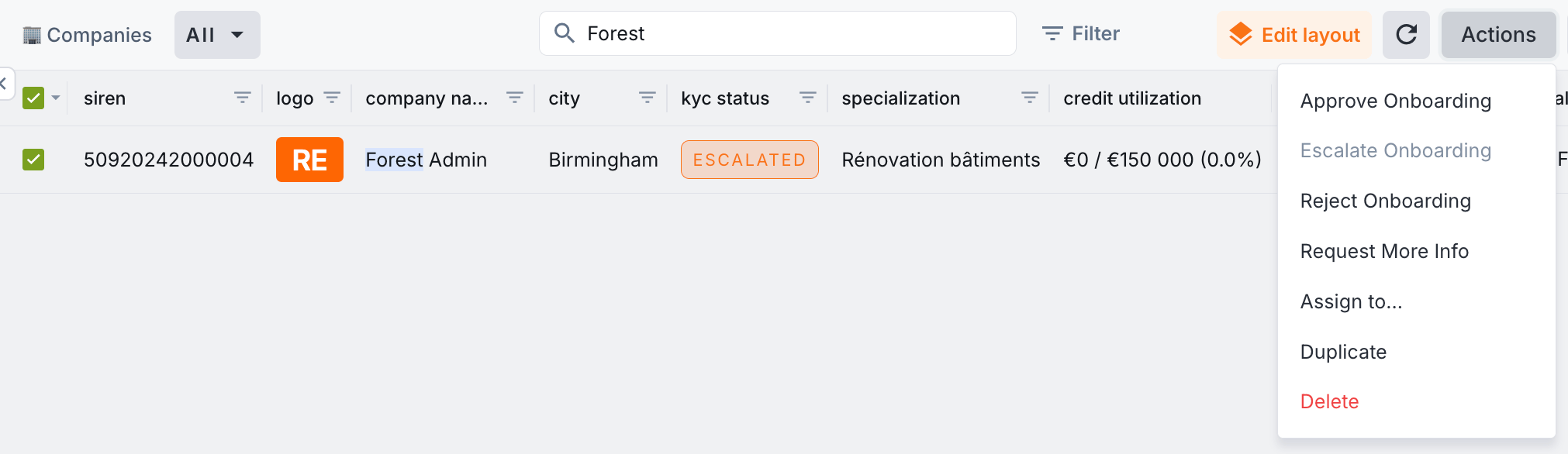 * **Details tab**: Trigger an Action on the selected record, from its Details tab
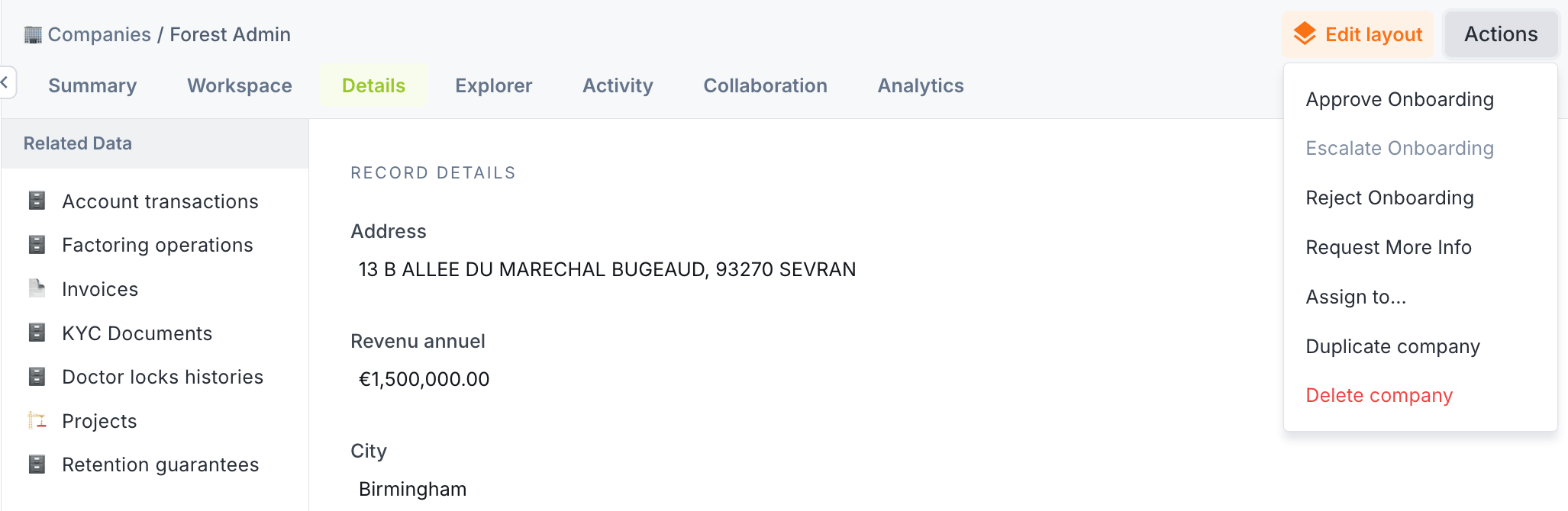 * **Summary tab**: Trigger an Action from a record's summary view, when configured
* **Workspaces** - learn more [here](/product/build/workspaces)
* **Workflows** - learn more [here](/product/execute/workflows)
## Built-in actions
Forest provides native actions out-of-the-box:
| Action | Description | Scope |
| ------------- | ------------------------------ | ------------- |
| **Create** | Add a new record | Global |
| **Update** | Edit record fields | Single |
| **Delete** | Delete a record | Single / Bulk |
| **Duplicate** | Copy an existing record | Single |
| **Export** | Download all records as a CSV | Global |
| **Assign to** | Assign records to team members | Single |
These work automatically with your data structure and require no configuration.
The **Assign to** action is part of Forest's [Inbox](/product/manage/inbox) feature for task management.
## Custom actions
Beyond built-in actions, create your own custom actions with custom code in your back-end:
* **Complex business logic**
* **Dynamic forms**: Forms that adapt to user input
* **External integrations**: Deep API integrations
* **File generation**: Create PDFs, CSVs, reports
* **Custom result types**: HTML responses, redirects, downloads
* **Summary tab**: Trigger an Action from a record's summary view, when configured
* **Workspaces** - learn more [here](/product/build/workspaces)
* **Workflows** - learn more [here](/product/execute/workflows)
## Built-in actions
Forest provides native actions out-of-the-box:
| Action | Description | Scope |
| ------------- | ------------------------------ | ------------- |
| **Create** | Add a new record | Global |
| **Update** | Edit record fields | Single |
| **Delete** | Delete a record | Single / Bulk |
| **Duplicate** | Copy an existing record | Single |
| **Export** | Download all records as a CSV | Global |
| **Assign to** | Assign records to team members | Single |
These work automatically with your data structure and require no configuration.
The **Assign to** action is part of Forest's [Inbox](/product/manage/inbox) feature for task management.
## Custom actions
Beyond built-in actions, create your own custom actions with custom code in your back-end:
* **Complex business logic**
* **Dynamic forms**: Forms that adapt to user input
* **External integrations**: Deep API integrations
* **File generation**: Create PDFs, CSVs, reports
* **Custom result types**: HTML responses, redirects, downloads
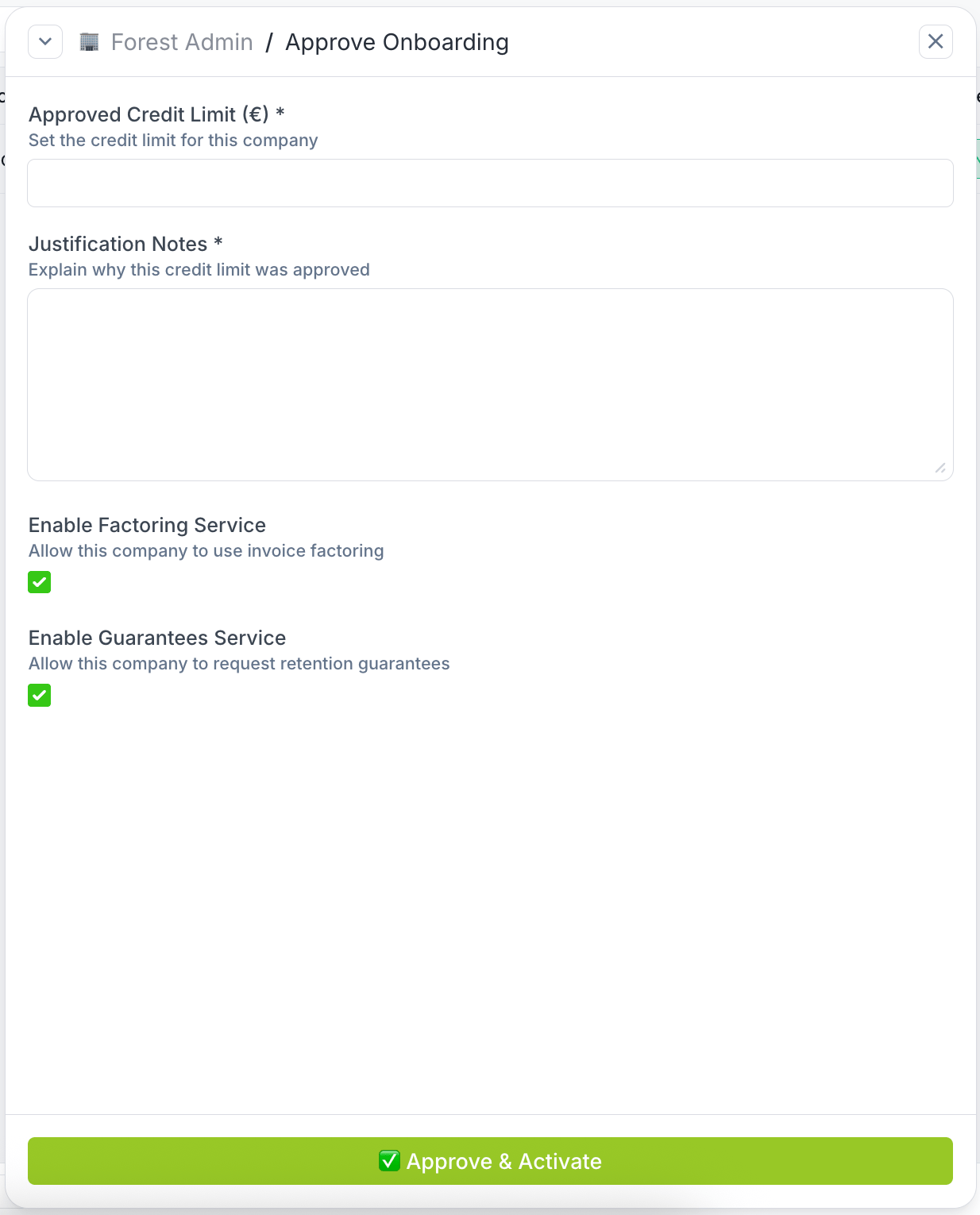 For developers who need full control and flexibility.
Build actions with code
## Action scopes
Every action has a **scope** that defines when it's available:
| Scope | Description | Example |
| ---------- | ------------------------------------------------------ | ------------------------------------- |
| **Single** | Operates on one specific record | Send a password reset email to a user |
| **Bulk** | Operates on multiple selected records | Archive 50 selected orders at once |
| **Global** | Operates at collection level without selecting records | Import customers from a CSV file |
## Action types
You can customize the appearance of action buttons to match their purpose, via the Collection settings:
| Type | Color | Use case |
| ----------- | --------------- | ----------------------------------- |
| **Default** | Interface color | Standard operations |
| **Info** | Blue | Informational actions |
| **Success** | Green | Positive actions (approve, confirm) |
| **Warning** | Orange | Actions requiring attention |
| **Danger** | Red | Destructive actions (delete, ban) |
| **Neutral** | Light gray | Secondary actions |
For developers who need full control and flexibility.
Build actions with code
## Action scopes
Every action has a **scope** that defines when it's available:
| Scope | Description | Example |
| ---------- | ------------------------------------------------------ | ------------------------------------- |
| **Single** | Operates on one specific record | Send a password reset email to a user |
| **Bulk** | Operates on multiple selected records | Archive 50 selected orders at once |
| **Global** | Operates at collection level without selecting records | Import customers from a CSV file |
## Action types
You can customize the appearance of action buttons to match their purpose, via the Collection settings:
| Type | Color | Use case |
| ----------- | --------------- | ----------------------------------- |
| **Default** | Interface color | Standard operations |
| **Info** | Blue | Informational actions |
| **Success** | Green | Positive actions (approve, confirm) |
| **Warning** | Orange | Actions requiring attention |
| **Danger** | Red | Destructive actions (delete, ban) |
| **Neutral** | Light gray | Secondary actions |
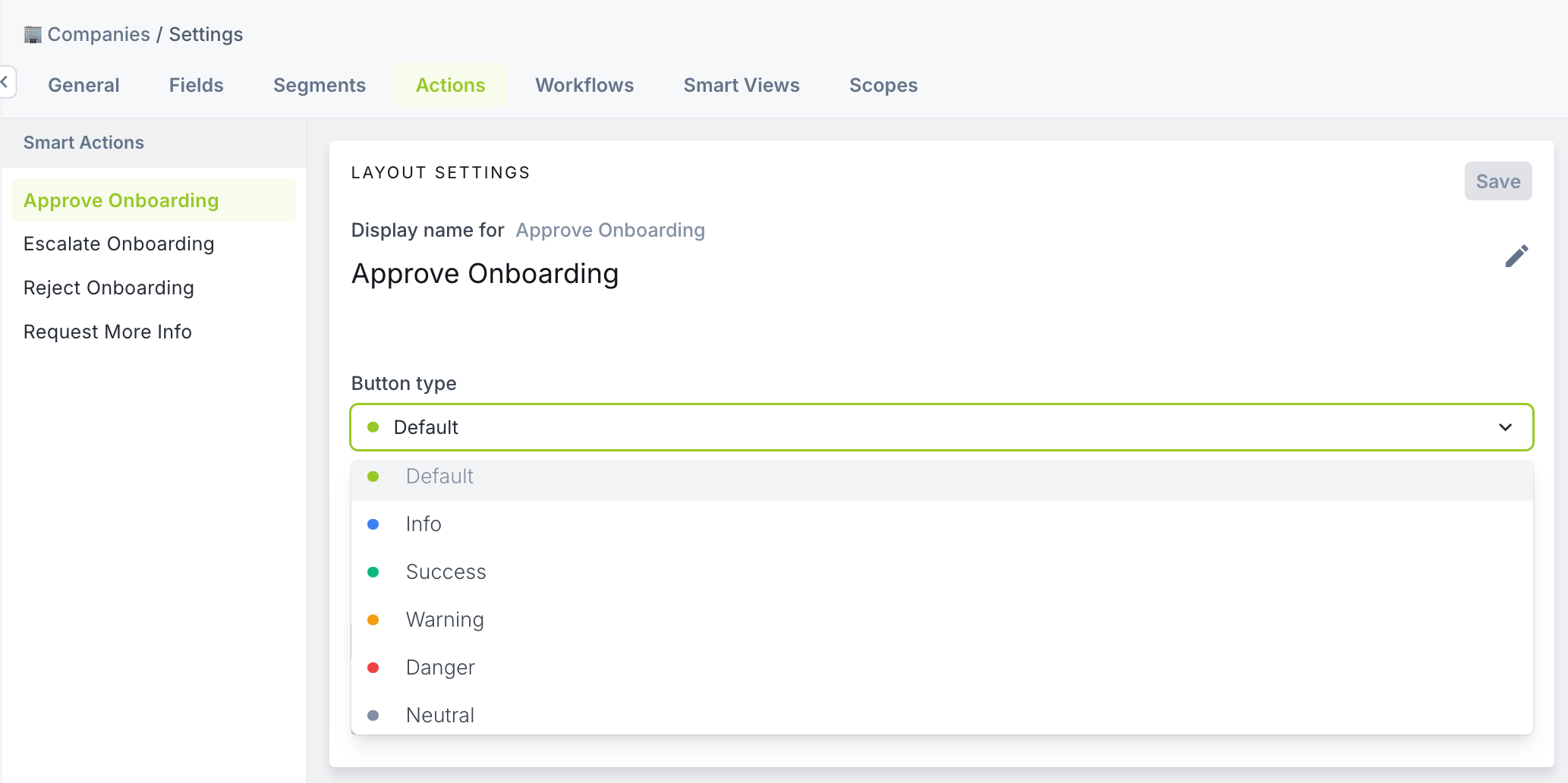 The button color helps users quickly identify the nature of an action before executing it from a Workspace or Summary View.
## Action visibility
Control when and where actions appear in your interface.
**Role-based permissions** determine which users can see and execute specific actions. Configure permissions per team and role to restrict sensitive operations. See [Roles & permissions](/get-started/control/roles-permissions) for configuration.
The button color helps users quickly identify the nature of an action before executing it from a Workspace or Summary View.
## Action visibility
Control when and where actions appear in your interface.
**Role-based permissions** determine which users can see and execute specific actions. Configure permissions per team and role to restrict sensitive operations. See [Roles & permissions](/get-started/control/roles-permissions) for configuration.
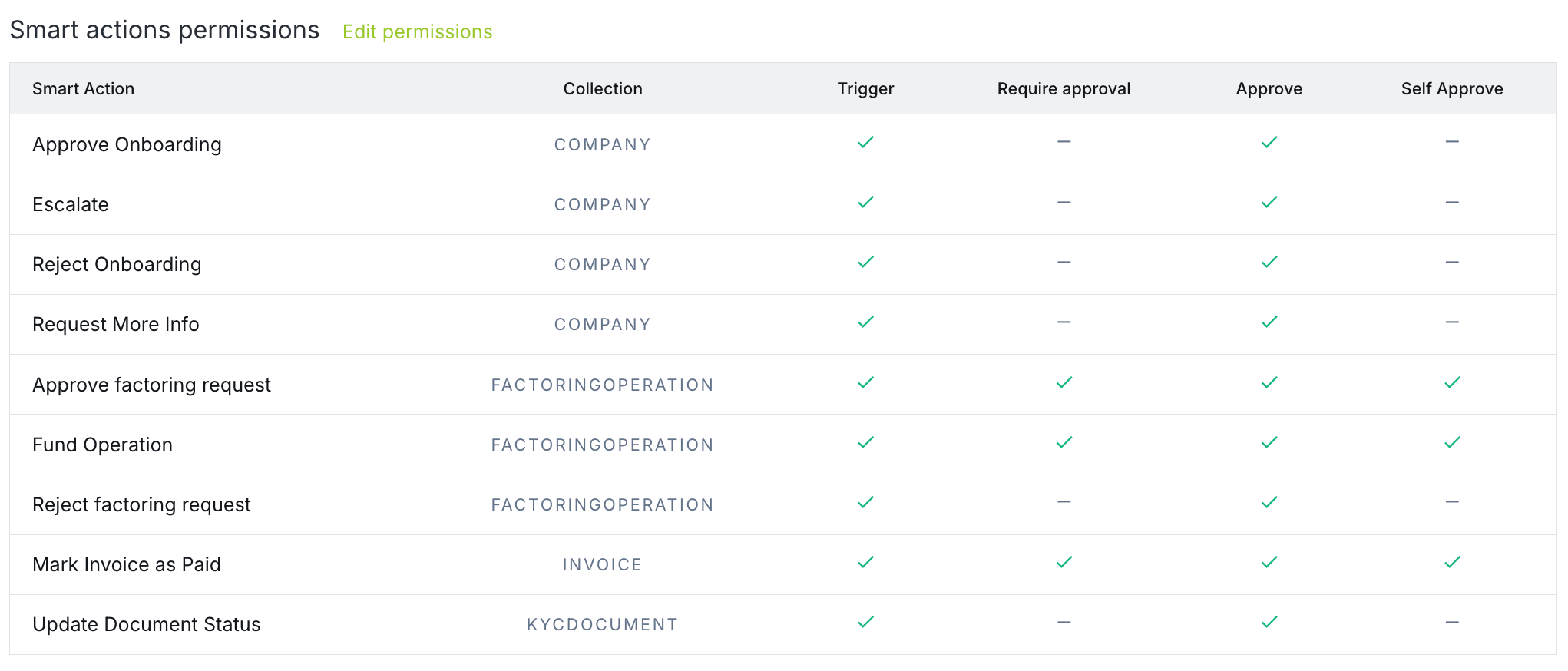 **Approval workflows** require validation from another authorized user before execution. This adds a review step for critical operations. See [Approval workflows](https://forest.mintlify.app/product/collaborate/approval-workflows) for more information.
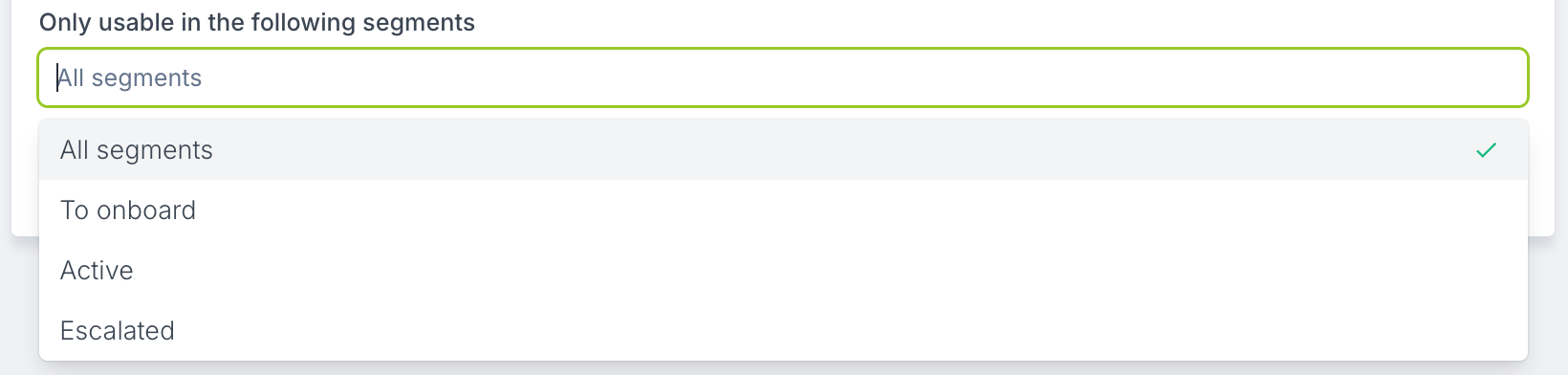
**Conditional visibility** allows actions to appear only when certain conditions are met, i.e. when the selected record belong to one or more specific segments.
**Approval workflows** require validation from another authorized user before execution. This adds a review step for critical operations. See [Approval workflows](https://forest.mintlify.app/product/collaborate/approval-workflows) for more information.
**Conditional visibility** allows actions to appear only when certain conditions are met, i.e. when the selected record belong to one or more specific segments.
 ## What actions enable
### Approval workflows
Actions integrate with Forest's approval system. Require manager approval before execution, track approval history, and maintain an audit trail of who approved what.
Learn about approval workflows
### Role-based permissions
Control who can execute actions by configuring permissions per team and role. Show actions only when conditions are met and restrict sensitive operations.
Configure action permissions
## What actions enable
### Approval workflows
Actions integrate with Forest's approval system. Require manager approval before execution, track approval history, and maintain an audit trail of who approved what.
Learn about approval workflows
### Role-based permissions
Control who can execute actions by configuring permissions per team and role. Show actions only when conditions are met and restrict sensitive operations.
Configure action permissions