> ## Documentation Index
> Fetch the complete documentation index at: https://forest-chore-open-api.mintlify.site/llms.txt
> Use this file to discover all available pages before exploring further.
# Forms
> Collect user input with static and dynamic action forms
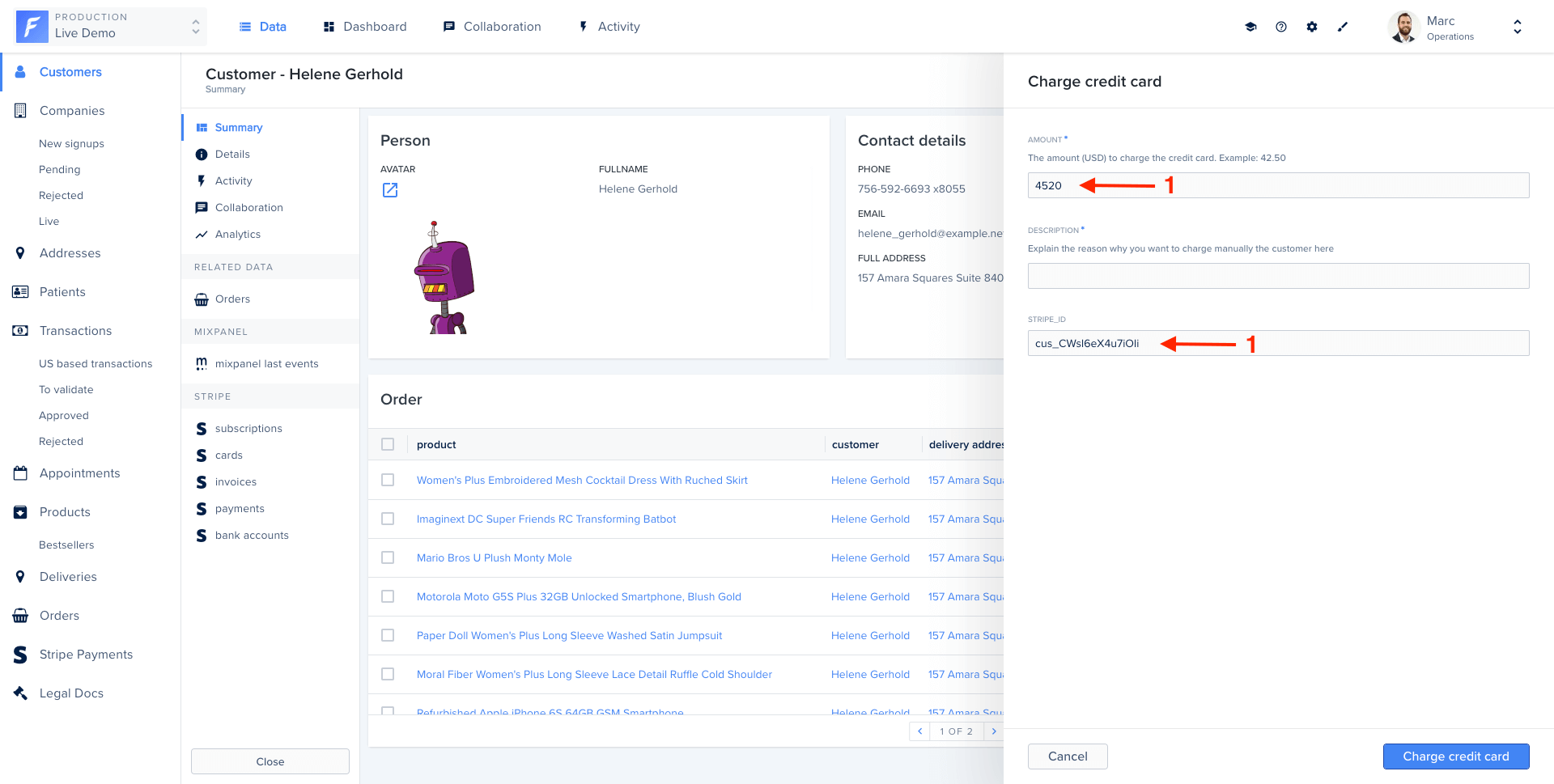
Action forms let you collect user input before executing an action. Forms can be static with fixed fields, or dynamic with fields that adapt based on context or user input.
 ## Field properties
Fields are configurable using the following properties:
| Property | Required | Type | Description |
| ---------------- | ------------------- | --------- | ------------------------------------------------------------------------------------------------------------------------------------------------------- |
| **type** | Yes | string | Field type: `Boolean`, `Date`, `Dateonly`, `Enum`, `Json`, `Number`, `NumberList`, `EnumList`, `String`, `StringList`, `File`, `FileList`, `Collection` |
| **label** | Yes | string | Label displayed to the user |
| **id** | No | string | Internal identifier. If not set, the label is used. Use this to access values in `context.formValues` |
| **description** | No | string | Help text displayed below the field |
| **isRequired** | No | boolean | Make the field required (default: false) |
| **defaultValue** | No | any | Default value pre-filled in the form |
| **isReadOnly** | No | boolean | Make the field read-only (default: false) |
| **enumValues** | Required for `Enum` | string\[] | List of possible values when type is `Enum` |
| **widget** | No | string | UI widget to use (see widgets section below) |
## Basic form example
```javascript Node.js / Cloud theme={null}
agent.customizeCollection('customers', collection => {
collection.addAction('Charge credit card', {
scope: 'Single',
form: [
{
type: 'Number',
label: 'Amount',
description: 'Amount in USD (e.g., 42.50)',
isRequired: true,
},
{
type: 'String',
label: 'Description',
widget: 'TextArea',
},
],
execute: async (context, resultBuilder) => {
const { Amount, Description } = context.formValues;
const customer = await context.getRecord(['stripeId']);
// Charge the credit card
await stripe.charges.create({
amount: Amount * 100,
currency: 'usd',
customer: customer.stripeId,
description: Description,
});
return resultBuilder.success('Charged successfully!');
},
});
});
```
```ruby Ruby theme={null}
forest_agent.customize_collection('customers') do |collection|
collection.add_action(
'Charge credit card',
BaseAction.new(
scope: ActionScope::SINGLE,
form: [
{
type: FieldType::NUMBER,
label: 'Amount',
description: 'Amount in USD (e.g., 42.50)',
is_required: true
},
{
type: FieldType::STRING,
label: 'Description',
widget: 'TextArea'
}
]
) do |context, result_builder|
form_values = context.form_values
customer = context.get_record(['stripeId'])
# Charge the credit card
# ...
result_builder.success('Charged successfully!')
end
)
end
```
```ruby Ruby DSL theme={null}
@create_agent.collection :customers do |collection|
collection.action 'Charge credit card', scope: :single do
form do
field :amount, type: :number, description: 'Amount in USD (e.g., 42.50)', is_required: true
field :description, type: :string, widget: 'TextArea'
end
execute do
customer = record(['stripeId'])
amount = form_value(:amount)
description = form_value(:description)
# Charge the credit card
# ...
success 'Charged successfully!'
end
end
end
```
## Field types
### String
Text input for short strings.
```javascript theme={null}
{ type: 'String', label: 'Name' }
```
Use the `TextArea` widget for longer text:
```javascript theme={null}
{ type: 'String', label: 'Description', widget: 'TextArea' }
```
### Number
Numeric input with optional constraints.
```javascript theme={null}
{ type: 'Number', label: 'Amount', defaultValue: 0 }
```
### Boolean
Checkbox for true/false values.
```javascript theme={null}
{ type: 'Boolean', label: 'Send confirmation email' }
```
### Date and Dateonly
Date picker for dates with or without time.
```javascript theme={null}
{ type: 'Date', label: 'Delivery date and time' }
{ type: 'Dateonly', label: 'Birth date' }
```
### Enum
Dropdown with predefined options.
```javascript theme={null}
{
type: 'Enum',
label: 'Status',
enumValues: ['pending', 'approved', 'rejected'],
isRequired: true
}
```
### Collection
Reference to a record from another collection.
```javascript theme={null}
{
type: 'Collection',
label: 'Assignee',
collectionName: 'users',
description: 'Select the user to assign this ticket to'
}
```
## Field properties
Fields are configurable using the following properties:
| Property | Required | Type | Description |
| ---------------- | ------------------- | --------- | ------------------------------------------------------------------------------------------------------------------------------------------------------- |
| **type** | Yes | string | Field type: `Boolean`, `Date`, `Dateonly`, `Enum`, `Json`, `Number`, `NumberList`, `EnumList`, `String`, `StringList`, `File`, `FileList`, `Collection` |
| **label** | Yes | string | Label displayed to the user |
| **id** | No | string | Internal identifier. If not set, the label is used. Use this to access values in `context.formValues` |
| **description** | No | string | Help text displayed below the field |
| **isRequired** | No | boolean | Make the field required (default: false) |
| **defaultValue** | No | any | Default value pre-filled in the form |
| **isReadOnly** | No | boolean | Make the field read-only (default: false) |
| **enumValues** | Required for `Enum` | string\[] | List of possible values when type is `Enum` |
| **widget** | No | string | UI widget to use (see widgets section below) |
## Basic form example
```javascript Node.js / Cloud theme={null}
agent.customizeCollection('customers', collection => {
collection.addAction('Charge credit card', {
scope: 'Single',
form: [
{
type: 'Number',
label: 'Amount',
description: 'Amount in USD (e.g., 42.50)',
isRequired: true,
},
{
type: 'String',
label: 'Description',
widget: 'TextArea',
},
],
execute: async (context, resultBuilder) => {
const { Amount, Description } = context.formValues;
const customer = await context.getRecord(['stripeId']);
// Charge the credit card
await stripe.charges.create({
amount: Amount * 100,
currency: 'usd',
customer: customer.stripeId,
description: Description,
});
return resultBuilder.success('Charged successfully!');
},
});
});
```
```ruby Ruby theme={null}
forest_agent.customize_collection('customers') do |collection|
collection.add_action(
'Charge credit card',
BaseAction.new(
scope: ActionScope::SINGLE,
form: [
{
type: FieldType::NUMBER,
label: 'Amount',
description: 'Amount in USD (e.g., 42.50)',
is_required: true
},
{
type: FieldType::STRING,
label: 'Description',
widget: 'TextArea'
}
]
) do |context, result_builder|
form_values = context.form_values
customer = context.get_record(['stripeId'])
# Charge the credit card
# ...
result_builder.success('Charged successfully!')
end
)
end
```
```ruby Ruby DSL theme={null}
@create_agent.collection :customers do |collection|
collection.action 'Charge credit card', scope: :single do
form do
field :amount, type: :number, description: 'Amount in USD (e.g., 42.50)', is_required: true
field :description, type: :string, widget: 'TextArea'
end
execute do
customer = record(['stripeId'])
amount = form_value(:amount)
description = form_value(:description)
# Charge the credit card
# ...
success 'Charged successfully!'
end
end
end
```
## Field types
### String
Text input for short strings.
```javascript theme={null}
{ type: 'String', label: 'Name' }
```
Use the `TextArea` widget for longer text:
```javascript theme={null}
{ type: 'String', label: 'Description', widget: 'TextArea' }
```
### Number
Numeric input with optional constraints.
```javascript theme={null}
{ type: 'Number', label: 'Amount', defaultValue: 0 }
```
### Boolean
Checkbox for true/false values.
```javascript theme={null}
{ type: 'Boolean', label: 'Send confirmation email' }
```
### Date and Dateonly
Date picker for dates with or without time.
```javascript theme={null}
{ type: 'Date', label: 'Delivery date and time' }
{ type: 'Dateonly', label: 'Birth date' }
```
### Enum
Dropdown with predefined options.
```javascript theme={null}
{
type: 'Enum',
label: 'Status',
enumValues: ['pending', 'approved', 'rejected'],
isRequired: true
}
```
### Collection
Reference to a record from another collection.
```javascript theme={null}
{
type: 'Collection',
label: 'Assignee',
collectionName: 'users',
description: 'Select the user to assign this ticket to'
}
```
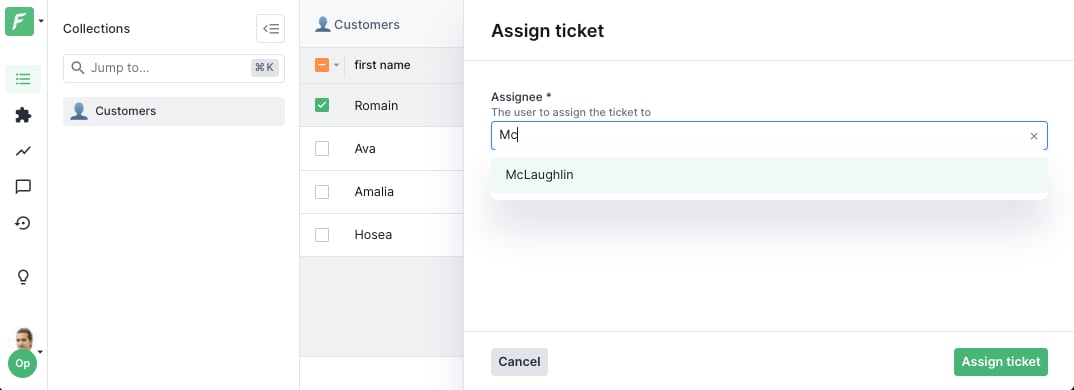 The value will be the primary key of the selected record (as an array for composite keys).
### File and FileList
File upload fields.
```javascript theme={null}
{ type: 'File', label: 'Upload document' }
{ type: 'FileList', label: 'Upload attachments' }
```
### Lists
Arrays of values.
```javascript theme={null}
{ type: 'StringList', label: 'Tags' }
{ type: 'NumberList', label: 'Scores' }
{ type: 'EnumList', label: 'Categories', enumValues: ['A', 'B', 'C'] }
```
## Dynamic forms
Make forms reactive by using functions instead of static values. Functions receive the action context and access form values and selected records.
### Dynamic required fields
Make a field required based on another field's value:
```javascript Node.js / Cloud theme={null}
form: [
{
type: 'Number',
label: 'Amount',
isRequired: true,
},
{
type: 'String',
label: 'Justification',
description: 'Required for amounts over $1000',
// Only required if amount > 1000
isRequired: context => context.formValues.Amount > 1000,
},
]
```
```ruby Ruby theme={null}
form: [
{
type: FieldType::NUMBER,
label: 'Amount',
is_required: true
},
{
type: FieldType::STRING,
label: 'Justification',
description: 'Required for amounts over $1000',
# Only required if amount > 1000
is_required: ->(context) { context.form_values['Amount'] > 1000 }
}
]
```
### Conditional visibility
Show or hide fields based on conditions:
```javascript Node.js / Cloud theme={null}
form: [
{
type: 'Boolean',
label: 'Send email notification',
id: 'sendEmail',
},
{
type: 'String',
label: 'Email address',
// Only show if sendEmail is checked
if: context => context.formValues.sendEmail === true,
},
]
```
```ruby Ruby theme={null}
form: [
{
type: FieldType::BOOLEAN,
label: 'Send email notification',
id: 'sendEmail'
},
{
type: FieldType::STRING,
label: 'Email address',
# Only show if sendEmail is checked
if: ->(context) { context.form_values['sendEmail'] == true }
}
]
```
### Default values from record data
Pre-fill form with data from the selected record:
```javascript Node.js / Cloud theme={null}
form: [
{
type: 'Number',
label: 'Refund amount',
// Default to the order total
defaultValue: async context => {
const order = await context.getRecord(['total']);
return order.total;
},
},
]
```
```ruby Ruby theme={null}
form: [
{
type: FieldType::NUMBER,
label: 'Refund amount',
# Default to the order total
default_value: ->(context) {
order = context.get_record(['total'])
order['total']
}
}
]
```
### Dynamic enum values
Change dropdown options based on context:
```javascript Node.js / Cloud theme={null}
form: [
{
type: 'Enum',
label: 'Department',
id: 'department',
enumValues: ['Engineering', 'Sales', 'Support'],
},
{
type: 'Enum',
label: 'Team',
// Teams depend on selected department
enumValues: context => {
const dept = context.formValues.department;
if (dept === 'Engineering') return ['Backend', 'Frontend', 'DevOps'];
if (dept === 'Sales') return ['Inbound', 'Outbound'];
if (dept === 'Support') return ['L1', 'L2', 'L3'];
return [];
},
},
]
```
```ruby Ruby theme={null}
form: [
{
type: FieldType::ENUM,
label: 'Department',
id: 'department',
enum_values: ['Engineering', 'Sales', 'Support']
},
{
type: FieldType::ENUM,
label: 'Team',
# Teams depend on selected department
enum_values: ->(context) {
dept = context.form_values['department']
if dept == 'Engineering'
['Backend', 'Frontend', 'DevOps']
elsif dept == 'Sales'
['Inbound', 'Outbound']
elsif dept == 'Support'
['L1', 'L2', 'L3']
else
[]
end
}
}
]
```
### Dynamic collection references
Change the target collection dynamically:
```javascript Node.js / Cloud theme={null}
form: [
{
type: 'Enum',
label: 'Entity type',
id: 'entityType',
enumValues: ['user', 'company'],
},
{
type: 'Collection',
label: 'Entity',
// Collection name depends on entity type
collectionName: context => context.formValues.entityType,
},
]
```
```ruby Ruby theme={null}
form: [
{
type: FieldType::ENUM,
label: 'Entity type',
id: 'entityType',
enum_values: ['user', 'company']
},
{
type: FieldType::COLLECTION,
label: 'Entity',
# Collection name depends on entity type
collection_name: ->(context) { context.form_values['entityType'] }
}
]
```
## Widgets
Widgets customize the UI appearance of fields. Here are the most common ones:
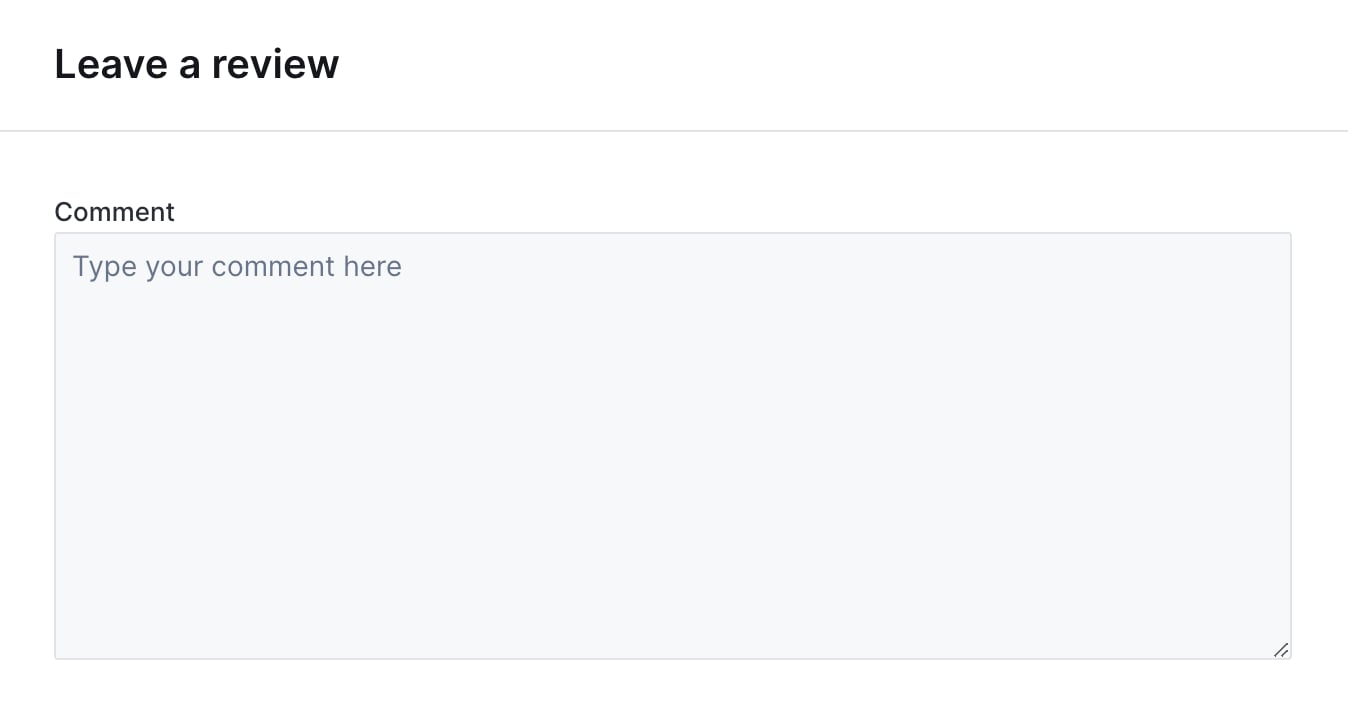
### TextArea
Multi-line text input.
```javascript theme={null}
{ type: 'String', label: 'Notes', widget: 'TextArea' }
```
The value will be the primary key of the selected record (as an array for composite keys).
### File and FileList
File upload fields.
```javascript theme={null}
{ type: 'File', label: 'Upload document' }
{ type: 'FileList', label: 'Upload attachments' }
```
### Lists
Arrays of values.
```javascript theme={null}
{ type: 'StringList', label: 'Tags' }
{ type: 'NumberList', label: 'Scores' }
{ type: 'EnumList', label: 'Categories', enumValues: ['A', 'B', 'C'] }
```
## Dynamic forms
Make forms reactive by using functions instead of static values. Functions receive the action context and access form values and selected records.
### Dynamic required fields
Make a field required based on another field's value:
```javascript Node.js / Cloud theme={null}
form: [
{
type: 'Number',
label: 'Amount',
isRequired: true,
},
{
type: 'String',
label: 'Justification',
description: 'Required for amounts over $1000',
// Only required if amount > 1000
isRequired: context => context.formValues.Amount > 1000,
},
]
```
```ruby Ruby theme={null}
form: [
{
type: FieldType::NUMBER,
label: 'Amount',
is_required: true
},
{
type: FieldType::STRING,
label: 'Justification',
description: 'Required for amounts over $1000',
# Only required if amount > 1000
is_required: ->(context) { context.form_values['Amount'] > 1000 }
}
]
```
### Conditional visibility
Show or hide fields based on conditions:
```javascript Node.js / Cloud theme={null}
form: [
{
type: 'Boolean',
label: 'Send email notification',
id: 'sendEmail',
},
{
type: 'String',
label: 'Email address',
// Only show if sendEmail is checked
if: context => context.formValues.sendEmail === true,
},
]
```
```ruby Ruby theme={null}
form: [
{
type: FieldType::BOOLEAN,
label: 'Send email notification',
id: 'sendEmail'
},
{
type: FieldType::STRING,
label: 'Email address',
# Only show if sendEmail is checked
if: ->(context) { context.form_values['sendEmail'] == true }
}
]
```
### Default values from record data
Pre-fill form with data from the selected record:
```javascript Node.js / Cloud theme={null}
form: [
{
type: 'Number',
label: 'Refund amount',
// Default to the order total
defaultValue: async context => {
const order = await context.getRecord(['total']);
return order.total;
},
},
]
```
```ruby Ruby theme={null}
form: [
{
type: FieldType::NUMBER,
label: 'Refund amount',
# Default to the order total
default_value: ->(context) {
order = context.get_record(['total'])
order['total']
}
}
]
```
### Dynamic enum values
Change dropdown options based on context:
```javascript Node.js / Cloud theme={null}
form: [
{
type: 'Enum',
label: 'Department',
id: 'department',
enumValues: ['Engineering', 'Sales', 'Support'],
},
{
type: 'Enum',
label: 'Team',
// Teams depend on selected department
enumValues: context => {
const dept = context.formValues.department;
if (dept === 'Engineering') return ['Backend', 'Frontend', 'DevOps'];
if (dept === 'Sales') return ['Inbound', 'Outbound'];
if (dept === 'Support') return ['L1', 'L2', 'L3'];
return [];
},
},
]
```
```ruby Ruby theme={null}
form: [
{
type: FieldType::ENUM,
label: 'Department',
id: 'department',
enum_values: ['Engineering', 'Sales', 'Support']
},
{
type: FieldType::ENUM,
label: 'Team',
# Teams depend on selected department
enum_values: ->(context) {
dept = context.form_values['department']
if dept == 'Engineering'
['Backend', 'Frontend', 'DevOps']
elsif dept == 'Sales'
['Inbound', 'Outbound']
elsif dept == 'Support'
['L1', 'L2', 'L3']
else
[]
end
}
}
]
```
### Dynamic collection references
Change the target collection dynamically:
```javascript Node.js / Cloud theme={null}
form: [
{
type: 'Enum',
label: 'Entity type',
id: 'entityType',
enumValues: ['user', 'company'],
},
{
type: 'Collection',
label: 'Entity',
// Collection name depends on entity type
collectionName: context => context.formValues.entityType,
},
]
```
```ruby Ruby theme={null}
form: [
{
type: FieldType::ENUM,
label: 'Entity type',
id: 'entityType',
enum_values: ['user', 'company']
},
{
type: FieldType::COLLECTION,
label: 'Entity',
# Collection name depends on entity type
collection_name: ->(context) { context.form_values['entityType'] }
}
]
```
## Widgets
Widgets customize the UI appearance of fields. Here are the most common ones:
### TextArea
Multi-line text input.
```javascript theme={null}
{ type: 'String', label: 'Notes', widget: 'TextArea' }
```
 ### TextInput
One-line text input, the default widget for `String` fields.
```javascript theme={null}
{ type: 'String', label: 'Name', widget: 'TextInput' }
```
### TextInput
One-line text input, the default widget for `String` fields.
```javascript theme={null}
{ type: 'String', label: 'Name', widget: 'TextInput' }
```
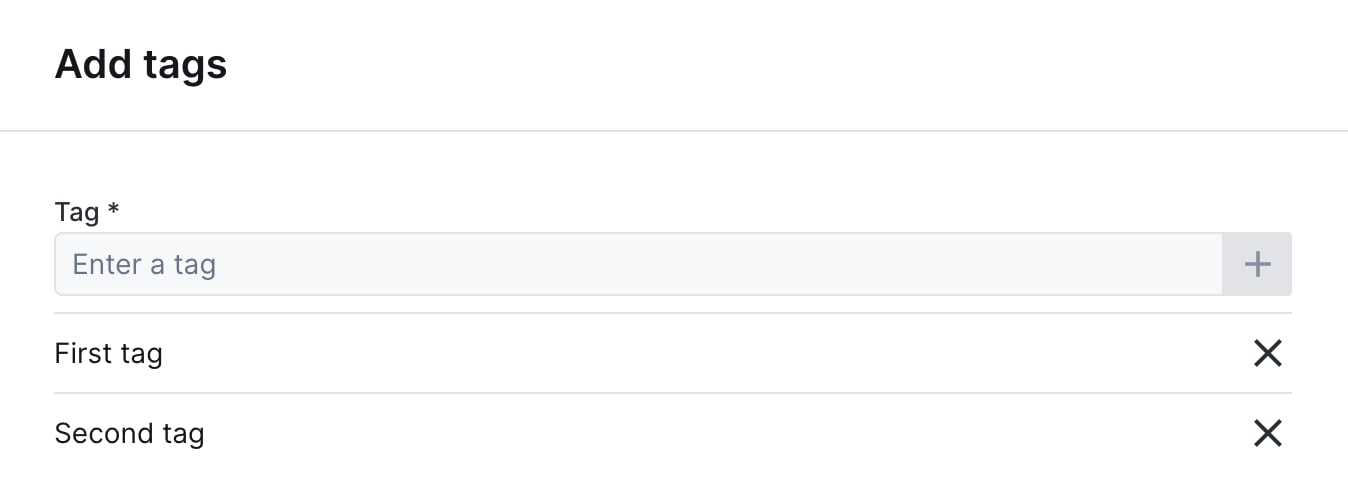
 ### TextInputList
One-line text input to enter a list of string values.
```javascript theme={null}
{ type: 'StringList', label: 'Tags', widget: 'TextInputList' }
```
### TextInputList
One-line text input to enter a list of string values.
```javascript theme={null}
{ type: 'StringList', label: 'Tags', widget: 'TextInputList' }
```
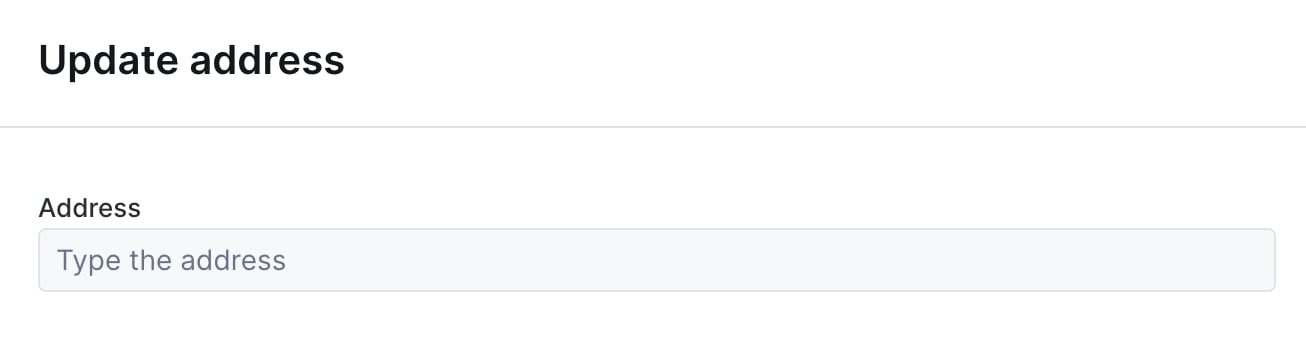
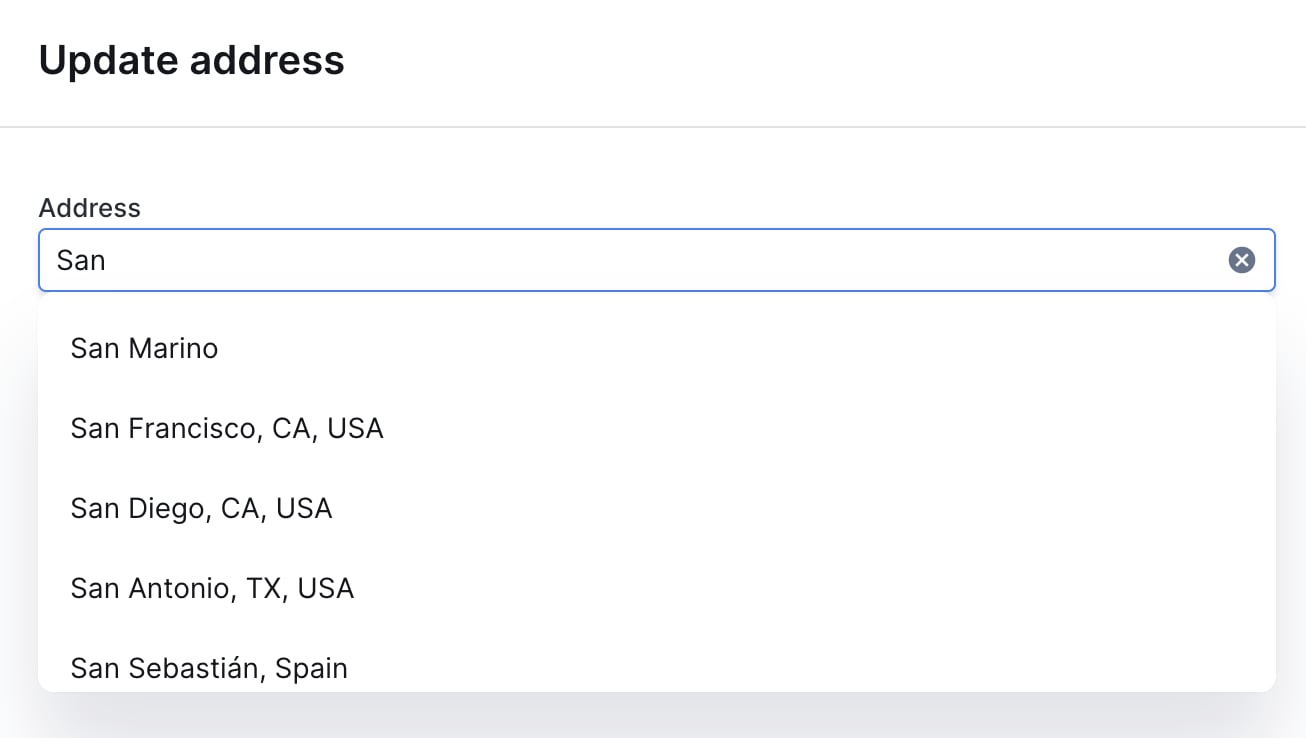
 ### AddressAutocomplete
Text input with address autocomplete powered by the Google Maps API.
```javascript theme={null}
{
type: 'String',
label: 'Address',
widget: 'AddressAutocomplete',
placeholder: 'Type the address here'
}
```
### AddressAutocomplete
Text input with address autocomplete powered by the Google Maps API.
```javascript theme={null}
{
type: 'String',
label: 'Address',
widget: 'AddressAutocomplete',
placeholder: 'Type the address here'
}
```
 ### Checkbox
Single checkbox for boolean values.
```javascript theme={null}
{ type: 'Boolean', label: 'Send a notification', widget: 'Checkbox' }
```
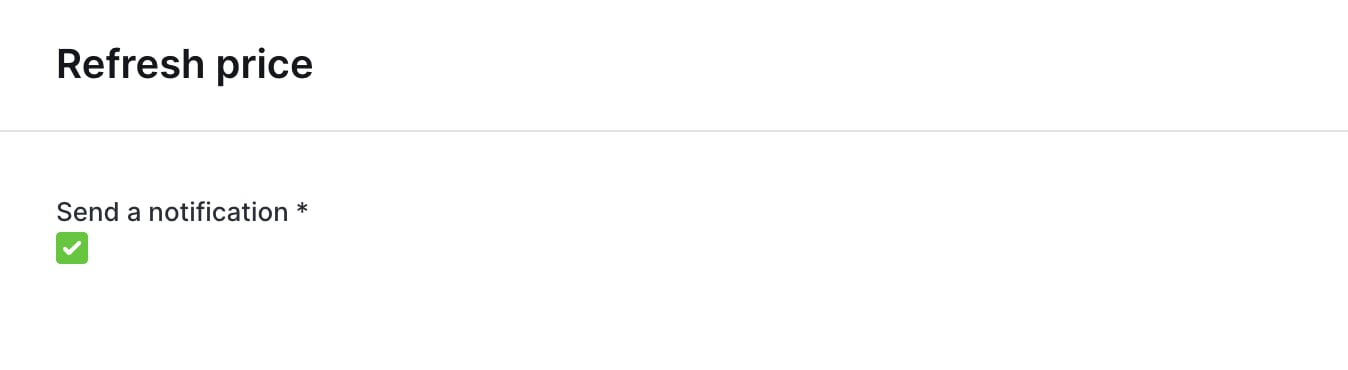
### Checkbox
Single checkbox for boolean values.
```javascript theme={null}
{ type: 'Boolean', label: 'Send a notification', widget: 'Checkbox' }
```
 ### Dropdown
Alternative to Enum for dropdown selection.
```javascript theme={null}
{
type: 'String',
label: 'Priority',
widget: 'Dropdown',
options: ['Low', 'Medium', 'High']
}
```
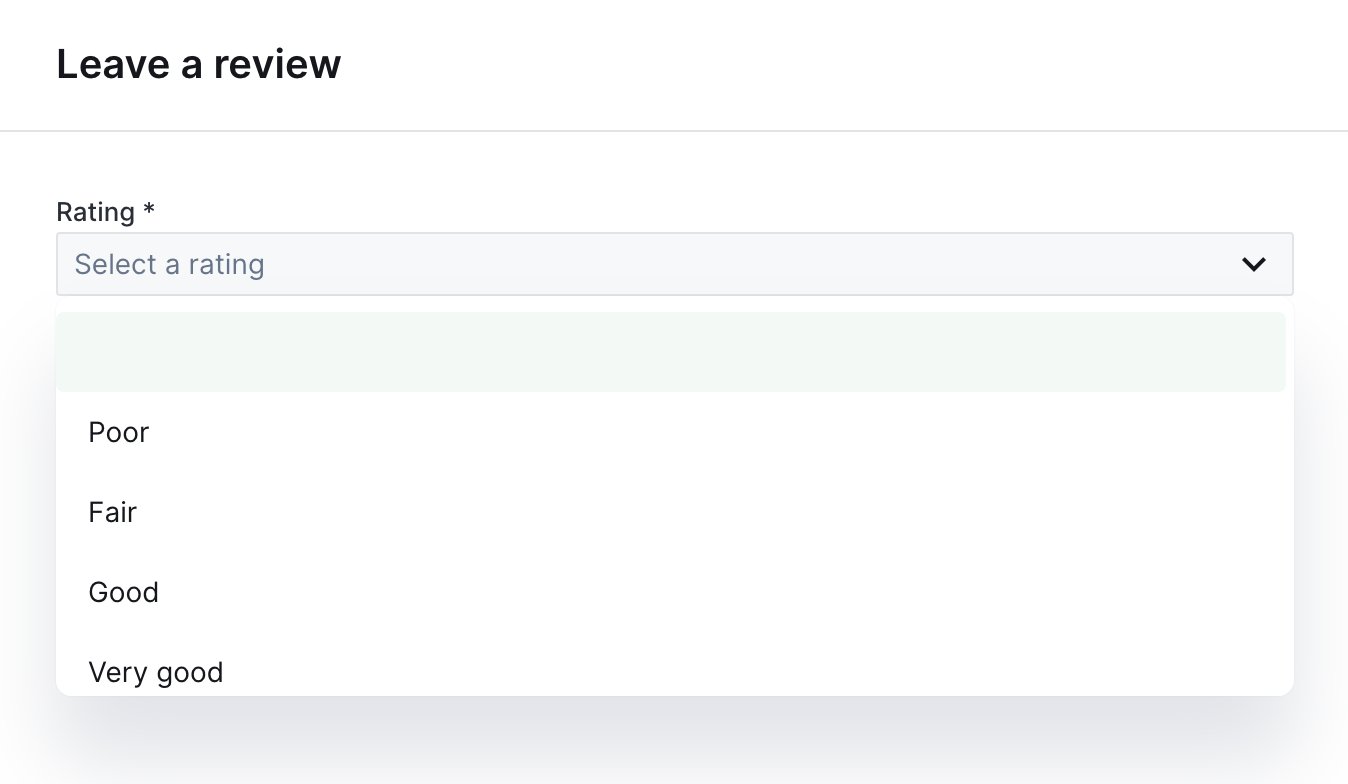
### Dropdown
Alternative to Enum for dropdown selection.
```javascript theme={null}
{
type: 'String',
label: 'Priority',
widget: 'Dropdown',
options: ['Low', 'Medium', 'High']
}
```
 ### RadioGroup
Radio buttons for single selection.
```javascript theme={null}
{
type: 'Enum',
label: 'Plan',
widget: 'RadioGroup',
enumValues: ['Free', 'Pro', 'Enterprise']
}
```
### RadioGroup
Radio buttons for single selection.
```javascript theme={null}
{
type: 'Enum',
label: 'Plan',
widget: 'RadioGroup',
enumValues: ['Free', 'Pro', 'Enterprise']
}
```
 ### CheckboxGroup
Checkboxes for multiple selection.
```javascript theme={null}
{
type: 'EnumList',
label: 'Features',
widget: 'CheckboxGroup',
enumValues: ['API Access', 'Priority Support', 'Custom Domain']
}
```
### DatePicker
Calendar widget for date selection.
```javascript theme={null}
{ type: 'Date', label: 'Appointment', widget: 'DatePicker' }
```
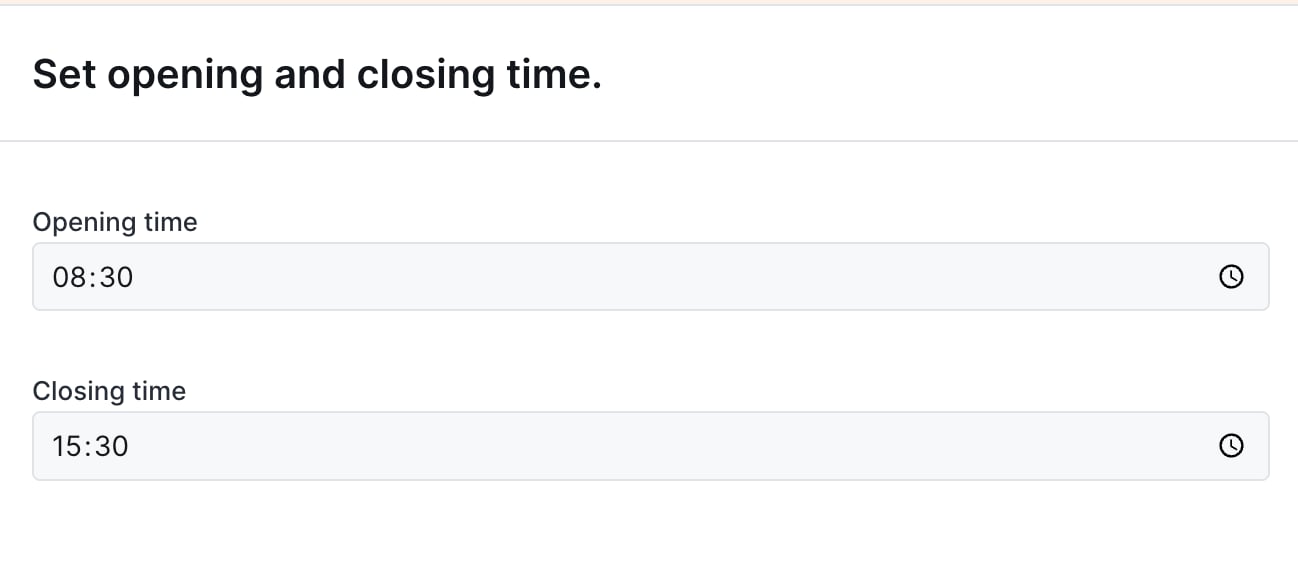
### TimePicker
Input for entering a time value.
```javascript theme={null}
{ type: 'Time', label: 'Opening time', widget: 'TimePicker' }
```
### CheckboxGroup
Checkboxes for multiple selection.
```javascript theme={null}
{
type: 'EnumList',
label: 'Features',
widget: 'CheckboxGroup',
enumValues: ['API Access', 'Priority Support', 'Custom Domain']
}
```
### DatePicker
Calendar widget for date selection.
```javascript theme={null}
{ type: 'Date', label: 'Appointment', widget: 'DatePicker' }
```
### TimePicker
Input for entering a time value.
```javascript theme={null}
{ type: 'Time', label: 'Opening time', widget: 'TimePicker' }
```
 ### ColorPicker
Color selection widget.
```javascript theme={null}
{ type: 'String', label: 'Brand color', widget: 'ColorPicker' }
```
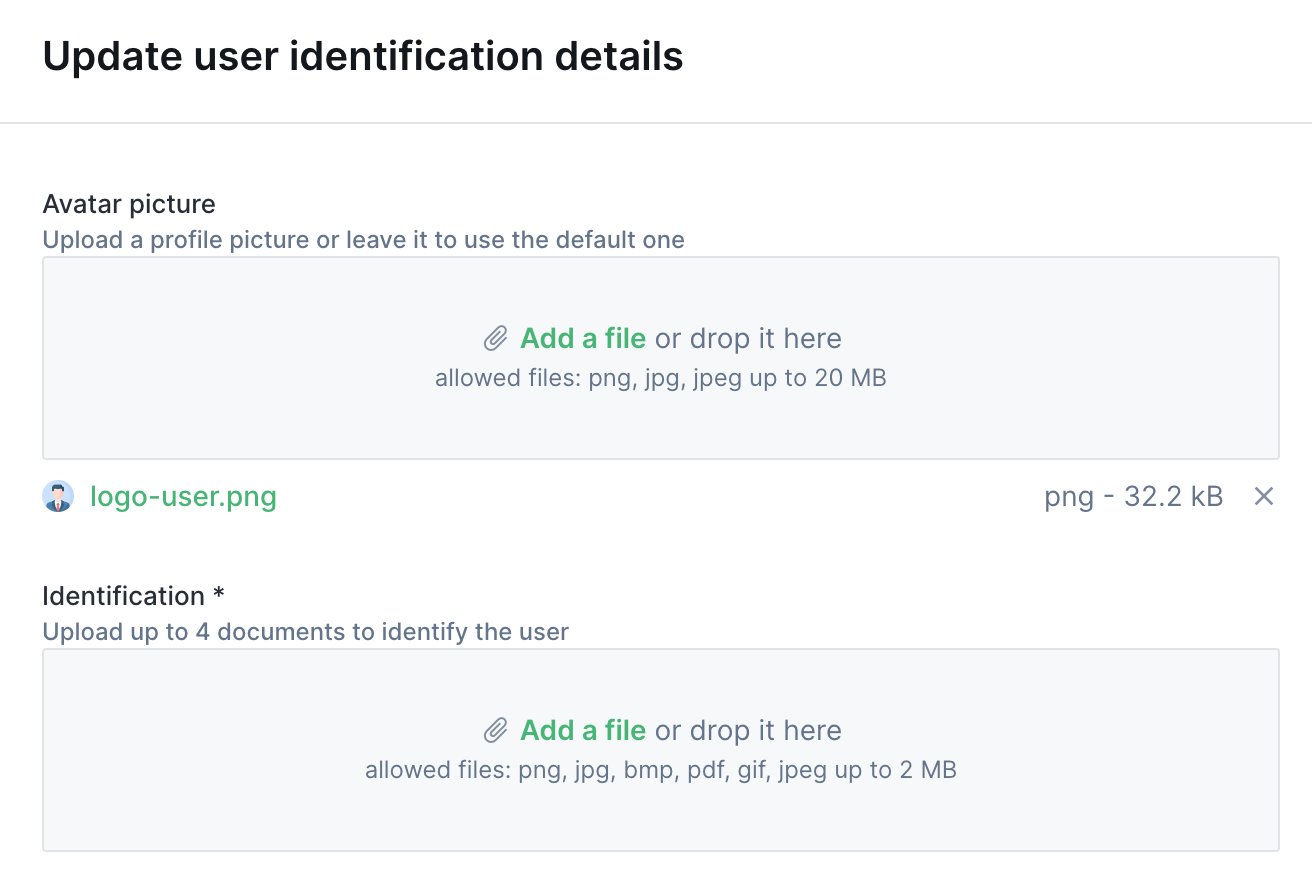
### FilePicker
File upload with preview.
```javascript theme={null}
{ type: 'File', label: 'Profile picture', widget: 'FilePicker' }
```
### ColorPicker
Color selection widget.
```javascript theme={null}
{ type: 'String', label: 'Brand color', widget: 'ColorPicker' }
```
### FilePicker
File upload with preview.
```javascript theme={null}
{ type: 'File', label: 'Profile picture', widget: 'FilePicker' }
```
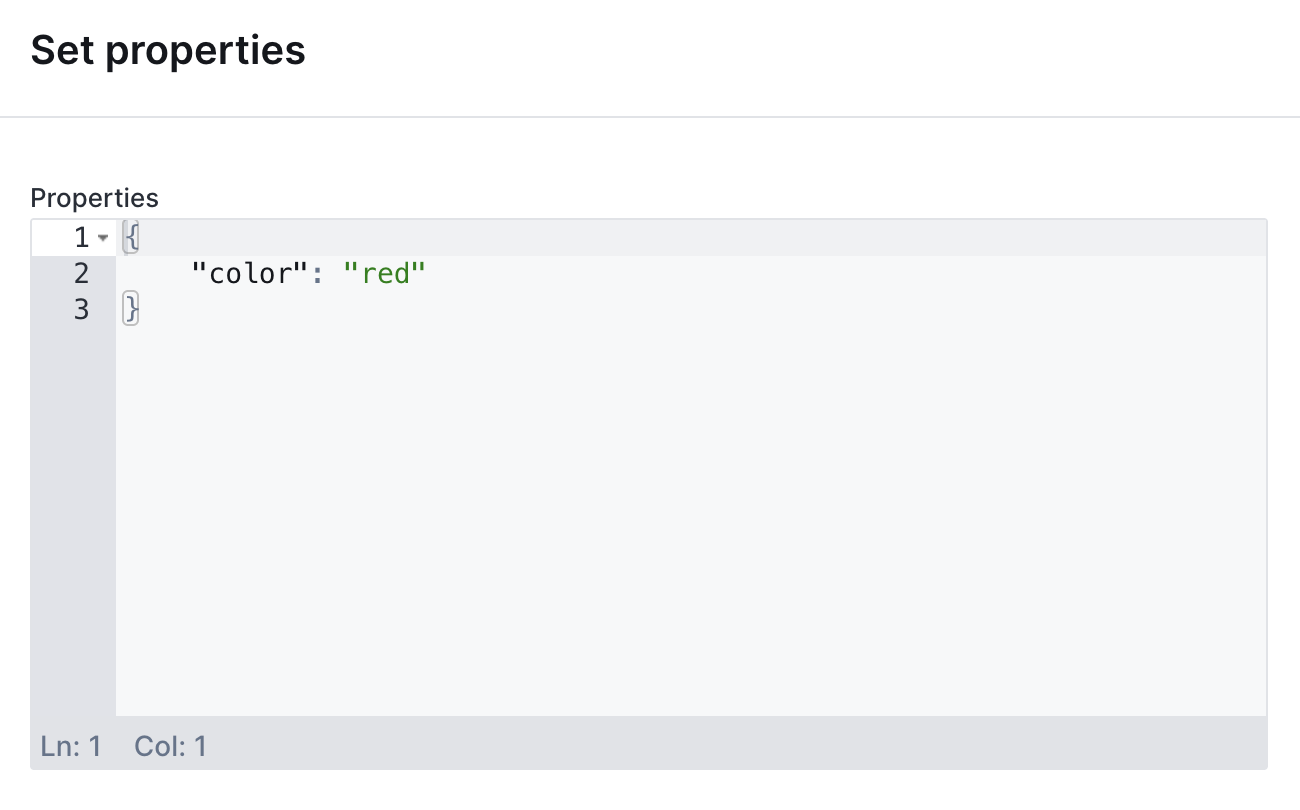
 ### JsonEditor
JSON editor with syntax highlighting.
```javascript theme={null}
{ type: 'Json', label: 'Configuration', widget: 'JsonEditor' }
```
### JsonEditor
JSON editor with syntax highlighting.
```javascript theme={null}
{ type: 'Json', label: 'Configuration', widget: 'JsonEditor' }
```
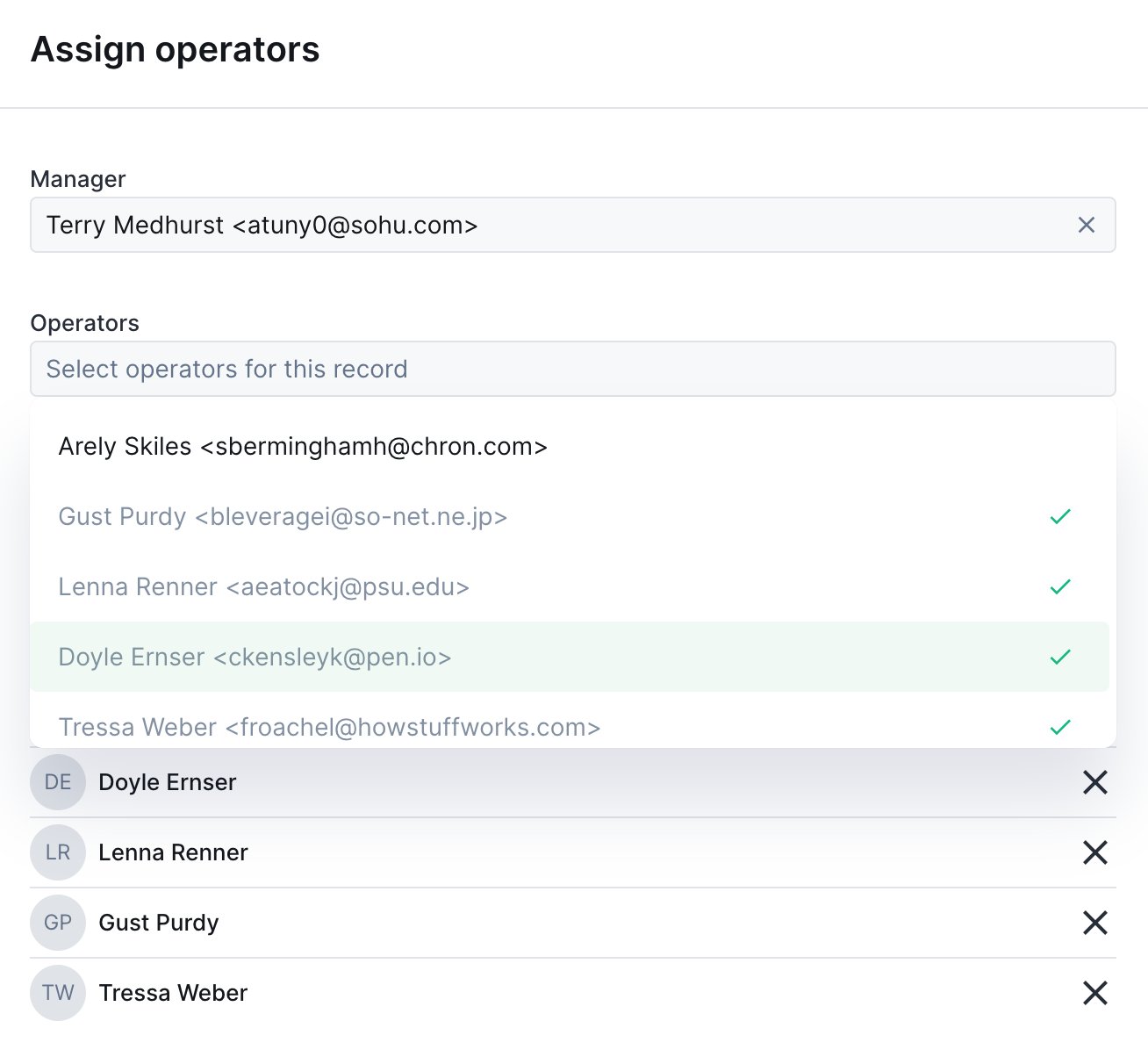
 ### UserDropdown
Dropdown pre-filled with Forest users.
```javascript theme={null}
{ type: 'String', label: 'Assigned to', widget: 'UserDropdown' }
```
### UserDropdown
Dropdown pre-filled with Forest users.
```javascript theme={null}
{ type: 'String', label: 'Assigned to', widget: 'UserDropdown' }
```
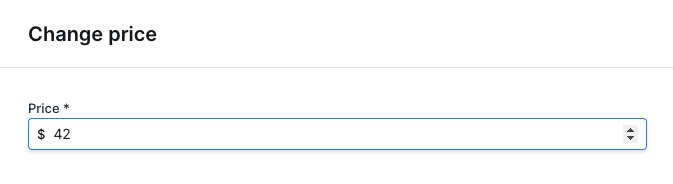
 ### CurrencyInput
Number input with currency formatting.
```javascript theme={null}
{
type: 'Number',
label: 'Price',
widget: 'CurrencyInput',
options: { currency: 'USD' }
}
```
### CurrencyInput
Number input with currency formatting.
```javascript theme={null}
{
type: 'Number',
label: 'Price',
widget: 'CurrencyInput',
options: { currency: 'USD' }
}
```
 ### RichText
Rich text editor with formatting options.
```javascript theme={null}
{ type: 'String', label: 'Content', widget: 'RichText' }
```
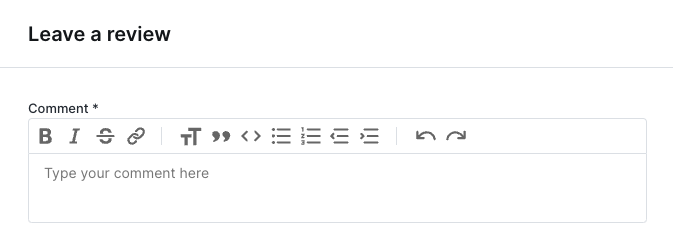
### RichText
Rich text editor with formatting options.
```javascript theme={null}
{ type: 'String', label: 'Content', widget: 'RichText' }
```
 ## Advanced patterns
### Multi-step forms
Create wizard-like forms by conditionally showing sections:
```javascript Node.js / Cloud theme={null}
form: [
{
type: 'Enum',
label: 'Action type',
id: 'actionType',
enumValues: ['refund', 'replace', 'credit'],
},
// Refund fields
{
type: 'Number',
label: 'Refund amount',
if: context => context.formValues.actionType === 'refund',
},
// Replacement fields
{
type: 'Collection',
label: 'Replacement product',
collectionName: 'products',
if: context => context.formValues.actionType === 'replace',
},
// Store credit fields
{
type: 'Number',
label: 'Credit amount',
if: context => context.formValues.actionType === 'credit',
},
]
```
```ruby Ruby theme={null}
form: [
{
type: FieldType::ENUM,
label: 'Action type',
id: 'actionType',
enum_values: ['refund', 'replace', 'credit']
},
# Refund fields
{
type: FieldType::NUMBER,
label: 'Refund amount',
if: ->(context) { context.form_values['actionType'] == 'refund' }
},
# Replacement fields
{
type: FieldType::COLLECTION,
label: 'Replacement product',
collection_name: 'products',
if: ->(context) { context.form_values['actionType'] == 'replace' }
},
# Store credit fields
{
type: FieldType::NUMBER,
label: 'Credit amount',
if: ->(context) { context.form_values['actionType'] == 'credit' }
}
]
```
### Read-only fields for context
Show record data as read-only context:
```javascript Node.js / Cloud theme={null}
form: [
{
type: 'String',
label: 'Customer name',
isReadOnly: true,
defaultValue: async context => {
const order = await context.getRecord(['customer:name']);
return order.customer.name;
},
},
{
type: 'Number',
label: 'Refund amount',
isRequired: true,
},
]
```
```ruby Ruby theme={null}
form: [
{
type: FieldType::STRING,
label: 'Customer name',
is_read_only: true,
default_value: ->(context) {
order = context.get_record(['customer:name'])
order['customer']['name']
}
},
{
type: FieldType::NUMBER,
label: 'Refund amount',
is_required: true
}
]
```
### Validation with required fields
Combine conditions for complex validation:
```javascript Node.js / Cloud theme={null}
{
type: 'String',
label: 'Manager approval',
isRequired: context => {
// Required if amount > 1000 and user is not admin
return context.formValues.Amount > 1000 &&
context.caller.role !== 'admin';
},
}
```
```ruby Ruby theme={null}
{
type: FieldType::STRING,
label: 'Manager approval',
is_required: ->(context) {
# Required if amount > 1000 and user is not admin
context.form_values['Amount'] > 1000 &&
context.caller.role != 'admin'
}
}
```
## Accessing form values
In the execute handler, access form values from the context:
```javascript Node.js / Cloud theme={null}
execute: async (context, resultBuilder) => {
// Access by label
const amount = context.formValues.Amount;
// Access by id (if specified)
const email = context.formValues['email'];
// Access with spaces in label
const firstName = context.formValues['First Name'];
// Destructure multiple values
const { Amount, Description } = context.formValues;
}
```
```ruby Ruby theme={null}
execute: ->(context, result_builder) {
# Access by label
amount = context.form_values['Amount']
# Access by id (if specified)
email = context.form_values['email']
# Access with spaces in label
first_name = context.form_values['First Name']
# Multiple values
amount = context.form_values['Amount']
description = context.form_values['Description']
}
```
## Layout components
Organize your fields with layout components, separators, rows, HTML blocks, and multi-page forms. Useful when a form has many fields and you want to break it into manageable chunks.
### Common properties
| Property | Required | Value | Description |
| ------------------------------------------- | -------- | ----------------------------------------------- | -------------------------------------------- |
| **type** | Yes | `"Layout"` | Differentiates a layout element from a field |
| **component** | Yes | `"Separator"`, `"Row"`, `"HtmlBlock"`, `"Page"` | The layout component to render |
| **if** (Node.js) / **if\_condition** (Ruby) | No | callable | Only display if the function returns true |
### Separator
A horizontal line between two form elements.
```javascript Node.js theme={null}
form: [
{ type: 'String', label: 'firstName' },
{ type: 'Layout', component: 'Separator' },
{ type: 'String', label: 'lastName' },
]
```
```ruby Ruby theme={null}
form: [
{ type: FieldType::STRING, label: 'firstName' },
{ type: FieldType::LAYOUT, component: 'Separator' },
{ type: FieldType::STRING, label: 'lastName' },
]
```
## Advanced patterns
### Multi-step forms
Create wizard-like forms by conditionally showing sections:
```javascript Node.js / Cloud theme={null}
form: [
{
type: 'Enum',
label: 'Action type',
id: 'actionType',
enumValues: ['refund', 'replace', 'credit'],
},
// Refund fields
{
type: 'Number',
label: 'Refund amount',
if: context => context.formValues.actionType === 'refund',
},
// Replacement fields
{
type: 'Collection',
label: 'Replacement product',
collectionName: 'products',
if: context => context.formValues.actionType === 'replace',
},
// Store credit fields
{
type: 'Number',
label: 'Credit amount',
if: context => context.formValues.actionType === 'credit',
},
]
```
```ruby Ruby theme={null}
form: [
{
type: FieldType::ENUM,
label: 'Action type',
id: 'actionType',
enum_values: ['refund', 'replace', 'credit']
},
# Refund fields
{
type: FieldType::NUMBER,
label: 'Refund amount',
if: ->(context) { context.form_values['actionType'] == 'refund' }
},
# Replacement fields
{
type: FieldType::COLLECTION,
label: 'Replacement product',
collection_name: 'products',
if: ->(context) { context.form_values['actionType'] == 'replace' }
},
# Store credit fields
{
type: FieldType::NUMBER,
label: 'Credit amount',
if: ->(context) { context.form_values['actionType'] == 'credit' }
}
]
```
### Read-only fields for context
Show record data as read-only context:
```javascript Node.js / Cloud theme={null}
form: [
{
type: 'String',
label: 'Customer name',
isReadOnly: true,
defaultValue: async context => {
const order = await context.getRecord(['customer:name']);
return order.customer.name;
},
},
{
type: 'Number',
label: 'Refund amount',
isRequired: true,
},
]
```
```ruby Ruby theme={null}
form: [
{
type: FieldType::STRING,
label: 'Customer name',
is_read_only: true,
default_value: ->(context) {
order = context.get_record(['customer:name'])
order['customer']['name']
}
},
{
type: FieldType::NUMBER,
label: 'Refund amount',
is_required: true
}
]
```
### Validation with required fields
Combine conditions for complex validation:
```javascript Node.js / Cloud theme={null}
{
type: 'String',
label: 'Manager approval',
isRequired: context => {
// Required if amount > 1000 and user is not admin
return context.formValues.Amount > 1000 &&
context.caller.role !== 'admin';
},
}
```
```ruby Ruby theme={null}
{
type: FieldType::STRING,
label: 'Manager approval',
is_required: ->(context) {
# Required if amount > 1000 and user is not admin
context.form_values['Amount'] > 1000 &&
context.caller.role != 'admin'
}
}
```
## Accessing form values
In the execute handler, access form values from the context:
```javascript Node.js / Cloud theme={null}
execute: async (context, resultBuilder) => {
// Access by label
const amount = context.formValues.Amount;
// Access by id (if specified)
const email = context.formValues['email'];
// Access with spaces in label
const firstName = context.formValues['First Name'];
// Destructure multiple values
const { Amount, Description } = context.formValues;
}
```
```ruby Ruby theme={null}
execute: ->(context, result_builder) {
# Access by label
amount = context.form_values['Amount']
# Access by id (if specified)
email = context.form_values['email']
# Access with spaces in label
first_name = context.form_values['First Name']
# Multiple values
amount = context.form_values['Amount']
description = context.form_values['Description']
}
```
## Layout components
Organize your fields with layout components, separators, rows, HTML blocks, and multi-page forms. Useful when a form has many fields and you want to break it into manageable chunks.
### Common properties
| Property | Required | Value | Description |
| ------------------------------------------- | -------- | ----------------------------------------------- | -------------------------------------------- |
| **type** | Yes | `"Layout"` | Differentiates a layout element from a field |
| **component** | Yes | `"Separator"`, `"Row"`, `"HtmlBlock"`, `"Page"` | The layout component to render |
| **if** (Node.js) / **if\_condition** (Ruby) | No | callable | Only display if the function returns true |
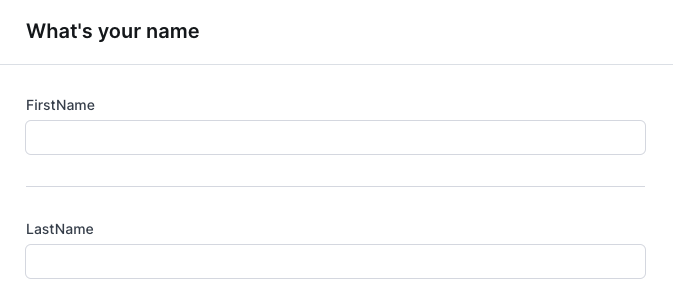
### Separator
A horizontal line between two form elements.
```javascript Node.js theme={null}
form: [
{ type: 'String', label: 'firstName' },
{ type: 'Layout', component: 'Separator' },
{ type: 'String', label: 'lastName' },
]
```
```ruby Ruby theme={null}
form: [
{ type: FieldType::STRING, label: 'firstName' },
{ type: FieldType::LAYOUT, component: 'Separator' },
{ type: FieldType::STRING, label: 'lastName' },
]
```
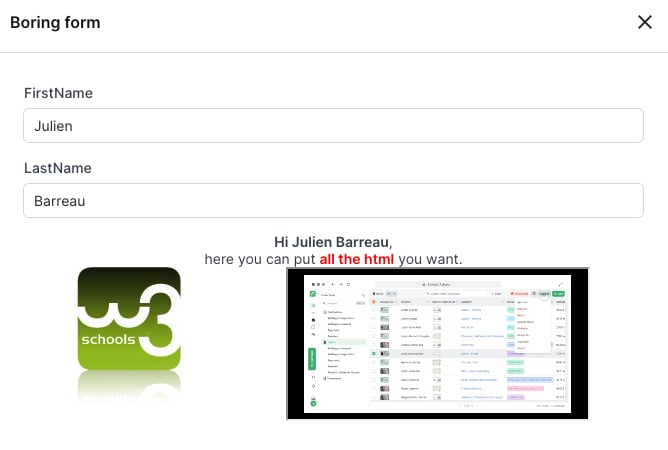
 ### HTML block
Render arbitrary HTML content inside a form, useful for instructions, embedded content, or rich formatting.
| Property | Required | Value | Description |
| ------------- | -------- | ------------------------------------- | ---------------------- |
| **component** | Yes | `"HtmlBlock"` | Enables this component |
| **content** | Yes | string or callable returning a string | HTML content to render |
```javascript Node.js theme={null}
{
type: 'Layout',
component: 'HtmlBlock',
content: ctx => `
### HTML block
Render arbitrary HTML content inside a form, useful for instructions, embedded content, or rich formatting.
| Property | Required | Value | Description |
| ------------- | -------- | ------------------------------------- | ---------------------- |
| **component** | Yes | `"HtmlBlock"` | Enables this component |
| **content** | Yes | string or callable returning a string | HTML content to render |
```javascript Node.js theme={null}
{
type: 'Layout',
component: 'HtmlBlock',
content: ctx => `
Hi ${ctx.formValues.firstName} ${ctx.formValues.lastName},
here you can put all the HTML you want.
`,
}
```
```ruby Ruby theme={null}
{
type: FieldType::LAYOUT,
component: 'HtmlBlock',
content: ->(context) {
"Hi #{context.form_values['firstName']}
"
},
}
```
 ### Row
Display two fields side by side on the same line.
A row is designed for **exactly two fields**. If `if` conditions hide one, the remaining field fills the line. If more than two are visible, only the first two render.
| Property | Required | Value | Description |
| ------------- | -------- | ------------------- | -------------------------------------------------------------------------- |
| **component** | Yes | `"Row"` | Enables this component |
| **fields** | Yes | array of two fields | The two fields to display side by side. No nested layout elements allowed. |
```javascript Node.js theme={null}
{
type: 'Layout',
component: 'Row',
fields: [
{ label: 'gender', type: 'Enum', enumValues: ['M', 'F', 'other'] },
{
label: 'specify',
type: 'String',
if: ctx => ctx.formValues?.gender === 'other',
},
],
}
```
```ruby Ruby theme={null}
{
type: FieldType::LAYOUT,
component: 'Row',
fields: [
{ label: 'gender', type: FieldType::ENUM, enum_values: ['M', 'F', 'other'] },
{
label: 'specify',
type: FieldType::STRING,
if_condition: ->(context) { context.form_values['gender'] == 'other' },
},
],
}
```
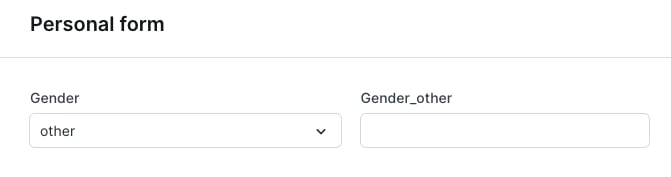
### Row
Display two fields side by side on the same line.
A row is designed for **exactly two fields**. If `if` conditions hide one, the remaining field fills the line. If more than two are visible, only the first two render.
| Property | Required | Value | Description |
| ------------- | -------- | ------------------- | -------------------------------------------------------------------------- |
| **component** | Yes | `"Row"` | Enables this component |
| **fields** | Yes | array of two fields | The two fields to display side by side. No nested layout elements allowed. |
```javascript Node.js theme={null}
{
type: 'Layout',
component: 'Row',
fields: [
{ label: 'gender', type: 'Enum', enumValues: ['M', 'F', 'other'] },
{
label: 'specify',
type: 'String',
if: ctx => ctx.formValues?.gender === 'other',
},
],
}
```
```ruby Ruby theme={null}
{
type: FieldType::LAYOUT,
component: 'Row',
fields: [
{ label: 'gender', type: FieldType::ENUM, enum_values: ['M', 'F', 'other'] },
{
label: 'specify',
type: FieldType::STRING,
if_condition: ->(context) { context.form_values['gender'] == 'other' },
},
],
}
```
 ### Multi-page form
Break a long form into multiple pages, with next/previous navigation.
When using pages, you **must have only** `Page` components at the root of your form, no mixing fields and pages at the root, no nesting pages inside pages.
| Property | Required | Value | Description |
| ---------------------------------------------------------------------- | -------- | ----------------------------------- | ------------------------------------- |
| **component** | Yes | `"Page"` | Enables this component |
| **elements** | Yes | array of fields and layout elements | Fields and layouts shown on this page |
| **nextButtonLabel** (Node.js) / **next\_button\_label** (Ruby) | No | string | Label for the next button |
| **previousButtonLabel** (Node.js) / **previous\_button\_label** (Ruby) | No | string | Label for the previous button |
```javascript Node.js theme={null}
form: [
{
type: 'Layout',
component: 'Page',
nextButtonLabel: 'Go to address',
elements: [
{ type: 'String', id: 'Firstname', label: 'First name' },
{ type: 'String', id: 'Lastname', label: 'Last name' },
{ type: 'Layout', component: 'Separator' },
{ type: 'Date', id: 'Birthdate', label: 'Birth date' },
],
},
{
type: 'Layout',
component: 'Page',
previousButtonLabel: 'Go back to identity',
elements: [
{
type: 'Layout',
component: 'Row',
fields: [
{ type: 'Number', id: 'StreetNumber', label: 'Street number' },
{ type: 'String', id: 'StreetName', label: 'Street name' },
],
},
{ type: 'String', id: 'PostalCode', label: 'Postal code' },
{ type: 'String', id: 'City', label: 'City' },
{ type: 'String', id: 'Country', label: 'Country' },
],
},
]
```
```ruby Ruby theme={null}
form: [
{
type: FieldType::LAYOUT,
component: 'Page',
next_button_label: 'Go to address',
elements: [
{ type: FieldType::STRING, id: 'Firstname', label: 'First name' },
{ type: FieldType::STRING, id: 'Lastname', label: 'Last name' },
{ type: FieldType::LAYOUT, component: 'Separator' },
{ type: FieldType::DATE, id: 'Birthdate', label: 'Birth date' },
],
},
{
type: FieldType::LAYOUT,
component: 'Page',
previous_button_label: 'Go back to identity',
elements: [
{ type: FieldType::STRING, id: 'PostalCode', label: 'Postal code' },
{ type: FieldType::STRING, id: 'City', label: 'City' },
{ type: FieldType::STRING, id: 'Country', label: 'Country' },
],
},
]
```
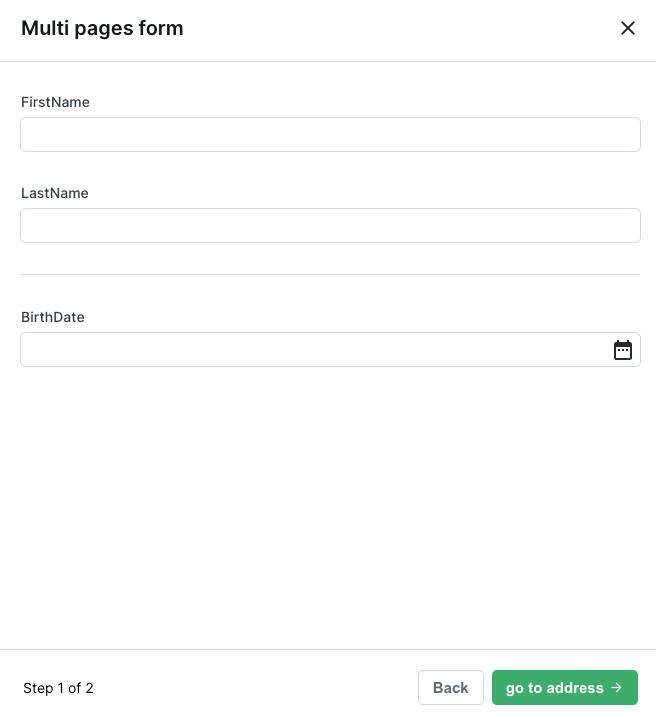
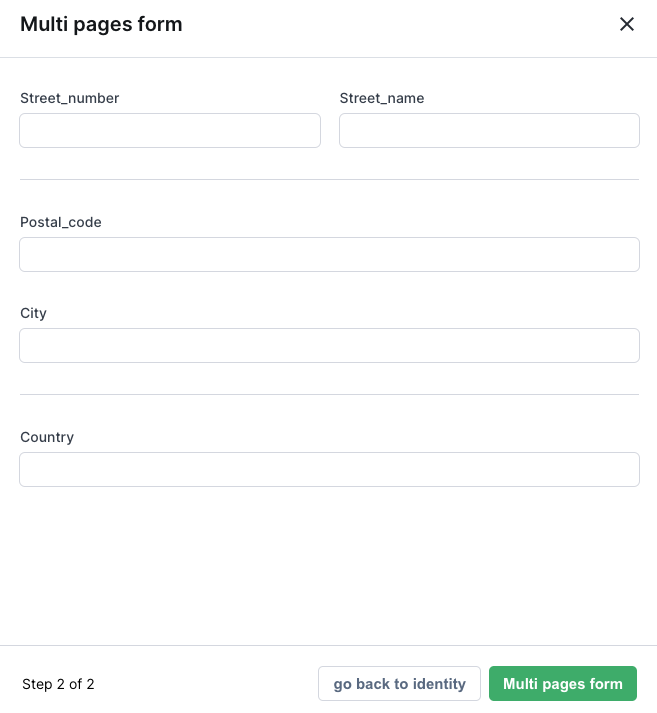
### Multi-page form
Break a long form into multiple pages, with next/previous navigation.
When using pages, you **must have only** `Page` components at the root of your form, no mixing fields and pages at the root, no nesting pages inside pages.
| Property | Required | Value | Description |
| ---------------------------------------------------------------------- | -------- | ----------------------------------- | ------------------------------------- |
| **component** | Yes | `"Page"` | Enables this component |
| **elements** | Yes | array of fields and layout elements | Fields and layouts shown on this page |
| **nextButtonLabel** (Node.js) / **next\_button\_label** (Ruby) | No | string | Label for the next button |
| **previousButtonLabel** (Node.js) / **previous\_button\_label** (Ruby) | No | string | Label for the previous button |
```javascript Node.js theme={null}
form: [
{
type: 'Layout',
component: 'Page',
nextButtonLabel: 'Go to address',
elements: [
{ type: 'String', id: 'Firstname', label: 'First name' },
{ type: 'String', id: 'Lastname', label: 'Last name' },
{ type: 'Layout', component: 'Separator' },
{ type: 'Date', id: 'Birthdate', label: 'Birth date' },
],
},
{
type: 'Layout',
component: 'Page',
previousButtonLabel: 'Go back to identity',
elements: [
{
type: 'Layout',
component: 'Row',
fields: [
{ type: 'Number', id: 'StreetNumber', label: 'Street number' },
{ type: 'String', id: 'StreetName', label: 'Street name' },
],
},
{ type: 'String', id: 'PostalCode', label: 'Postal code' },
{ type: 'String', id: 'City', label: 'City' },
{ type: 'String', id: 'Country', label: 'Country' },
],
},
]
```
```ruby Ruby theme={null}
form: [
{
type: FieldType::LAYOUT,
component: 'Page',
next_button_label: 'Go to address',
elements: [
{ type: FieldType::STRING, id: 'Firstname', label: 'First name' },
{ type: FieldType::STRING, id: 'Lastname', label: 'Last name' },
{ type: FieldType::LAYOUT, component: 'Separator' },
{ type: FieldType::DATE, id: 'Birthdate', label: 'Birth date' },
],
},
{
type: FieldType::LAYOUT,
component: 'Page',
previous_button_label: 'Go back to identity',
elements: [
{ type: FieldType::STRING, id: 'PostalCode', label: 'Postal code' },
{ type: FieldType::STRING, id: 'City', label: 'City' },
{ type: FieldType::STRING, id: 'Country', label: 'Country' },
],
},
]
```
 If every element on a page is hidden by `if` conditions, the page is automatically removed. To prevent this, add an unconditional `HtmlBlock` explaining why the page is empty.