> ## Documentation Index
> Fetch the complete documentation index at: https://forest-chore-open-api.mintlify.site/llms.txt
> Use this file to discover all available pages before exploring further.
# Create a Smart relationship
### What is a Smart Relationship?
Sometimes, you want to create a virtual relationship between two set of data that does not exist in your database. A concrete example could be creating a relationship between two collections available in two different databases. Creating a Smart Relationship allows you to customize with code how your collections are linked together.
### Create a BelongsTo Smart Relationship
On the Live Demo example, we have an **order** which `belongsTo` a **customer** which `belongsTo` a **delivery address**. We’ve created here a BelongsTo Smart Relationship that acts like a shortcut between the **order** and the **delivery address**.
A BelongsTo Smart Relationship is created like a [Smart Field](/legacy/javascript-agents/reference-guide/smart-fields/overview#what-is-a-smart-field) with the `reference` option to indicate on which collection the Smart Relationship points to. You will also need to code the logic of the search query.
```javascript theme={null}
const { collection } = require('forest-express-sequelize');
const models = require('../models');
collection('orders', {
fields: [{
field: 'delivery_address',
type: 'String',
reference: 'addresses.id',
get: function (order) {
return models.addresses
.findAll({
include: [{
model: models.customers,
where: { id: order.customer_id },
include: [{
model: models.orders,
where: { ref: order.ref }
}]
}],
})
.then((addresses) => {
if (addresses) { return addresses[0]; }
});
}
}]
});
```
```javascript theme={null}
const { collection } = require('forest-express-mongoose');
const Address = require('../models/addresses');
collection('Order', {
fields: [
{
field: 'delivery_address',
type: 'String',
reference: 'Address._id',
get: function (order) {
return Address.aggregate([
{
$lookup: {
from: 'orders',
localField: 'customer_id',
foreignField: 'customer_id',
as: 'orders_docs',
},
},
{
$match: {
'orders_docs._id': order._id,
},
},
]).then((addresses) => {
if (addresses) {
return addresses[0]._id;
}
});
},
},
],
});
```
```ruby theme={null}
class Forest::Order
include ForestLiana::Collection
collection :Order
search_delivery_address = lambda do |query, search|
query.joins(customer: :address).or(Order.joins(customer: :address).where("addresses.country ILIKE ?", "%#{search}%"))
end
belongs_to :delivery_address, reference: 'Address.id', search: search_delivery_address do
object.customer.address
end
end
```
Ensure the file app/forest/\_\_init\_\_.py exists and contains the import of the previous defined class :
```python theme={null}
from django_forest.utils.collection import Collection
from app.models import Product
class ProductForest(Collection):
def load(self):
self.fields = [
{
'field': 'buyers',
'reference': 'app_customer.id',
'type': ['String'],
}
]
Collection.register(ProductForest, Product)
```
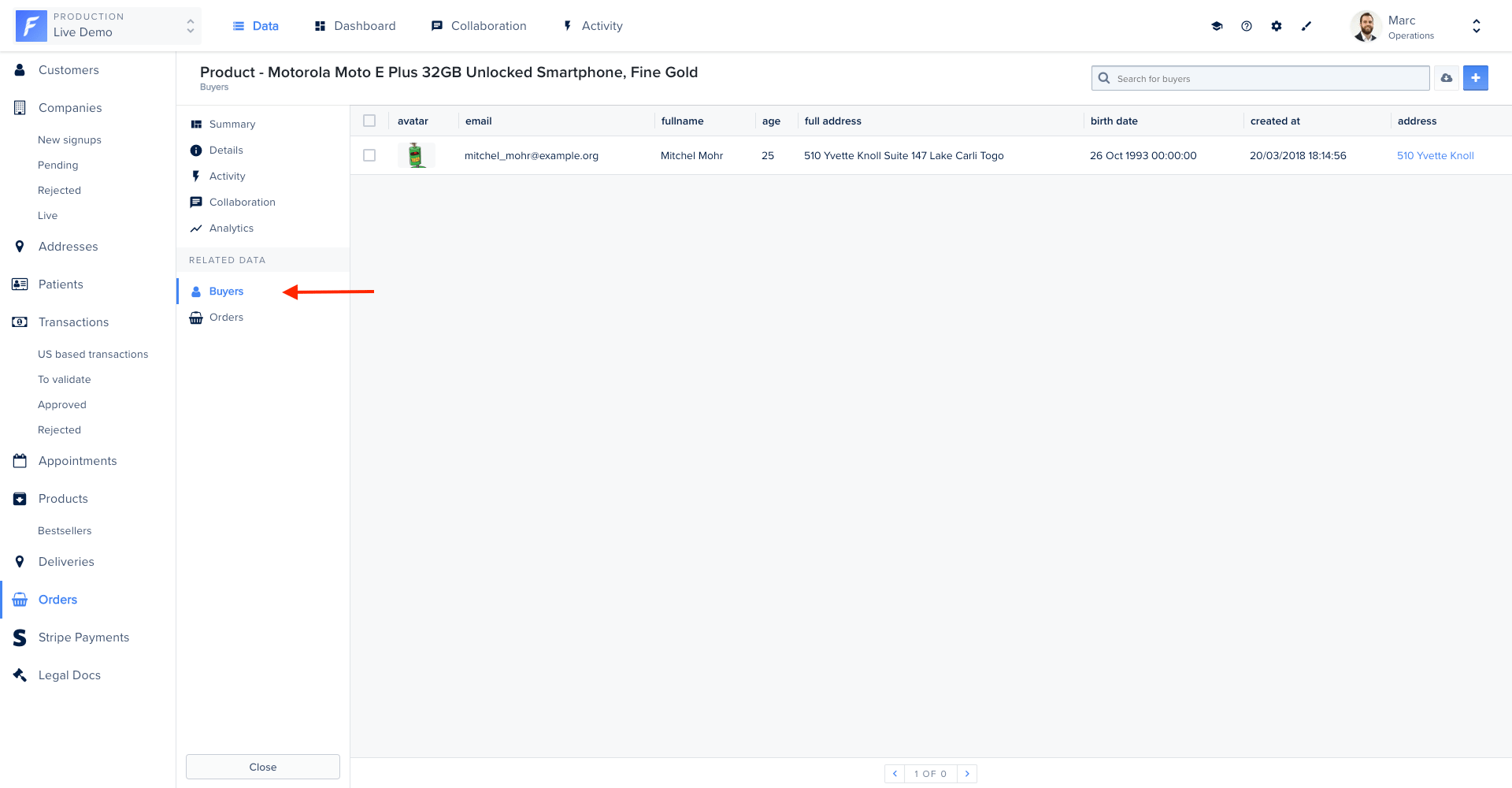
Upon browsing, an API call is triggered when accessing the data of the HasMany relationships in order to fetch them asynchronously. In the following example, the API call is a GET on `/products/:product_id/relationships/buyers`.
**Option 1: using Sequelize ORM**
We’ll use the **findAll** and **count** methods provided by [Sequelize](https://sequelize.org/v5/manual/querying.html) to find and count all customers who bought the current product (*buyers*).
Then, you should handle pagination in order to avoid performance issue. The API call has a query string available which gives you all the necessary parameters you need to enable pagination.
Finally, you don’t have to serialize the data yourself. The Forest agent already knows how to serialize your collection (`customers` in this example). You can access to the serializer through the `recordsGetter.serialize` function.
```javascript theme={null}
const express = require('express');
const {
PermissionMiddlewareCreator,
RecordSerializer,
} = require('forest-express-sequelize');
const { products, customers, orders } = require('../models');
const router = express.Router();
const permissionMiddlewareCreator = new PermissionMiddlewareCreator('products');
router.get(
'/products/:product_id/relationships/buyers',
(request, response, next) => {
const productId = request.params.product_id;
const limit = parseInt(request.query.page.size, 10) || 20;
const offset = (parseInt(request.query.page.number, 10) - 1) * limit;
const include = [
{
model: orders,
as: 'orders',
where: { product_id: productId },
},
];
// find the customers for the requested page and page size
const findAll = customers.findAll({
include,
offset,
limit,
});
// count all customers for pagination
const count = customers.count({ include });
// resolve the two promises and serialize the response
const serializer = new RecordSerializer(customers);
Promise.all([findAll, count])
.then(([customersFound, customersCount]) =>
serializer.serialize(customersFound, { count: customersCount })
)
.then((recordsSerialized) => response.send(recordsSerialized))
.catch(next);
}
);
```
**Option2: using raw SQL**
We’ll use raw SQL query and [Sequelize](http://docs.sequelizejs.com) to **count** and **find all** customers who bought the current product (*buyers*).
Then, you should handle pagination in order to avoid performance issue. The API call has a query string available which gives you all the necessary parameters you need to enable pagination.
Finally, you don’t have to serialize the data yourself. The Forest agent already knows how to serialize your collection (`customers` in this example). You can access to the serializer through the `recordsGetter.serialize` function.
```javascript theme={null}
const express = require('express');
const router = express.Router();
const models = require('../models');
router.get('/products/:product_id/relationships/buyers', (req, res, next) => {
let limit = parseInt(req.query.page.size) || 10;
let offset = (parseInt(req.query.page.number) - 1) * limit;
let queryType = models.sequelize.QueryTypes.SELECT;
let countQuery = `
SELECT COUNT(*)
FROM customers
JOIN orders ON orders.customer_id = customers.id
JOIN products ON orders.product_id = products.id
WHERE product_id = ${req.params.product_id};
`;
let dataQuery = `
SELECT customers.*
FROM customers
JOIN orders ON orders.customer_id = customers.id
JOIN products ON orders.product_id = products.id
WHERE product_id = ${req.params.product_id}
LIMIT ${limit}
OFFSET ${offset}
`;
const serializer = new RecordSerializer(customers);
Promise.all([
// Since support to multiple db connections was added you have to use the connection name defined in config/databases.js
// here using default
models.connections.default.query(countQuery, { type: queryType }),
models.connections.default.query(dataQuery, { type: queryType }),
])
.then(([count, queryResult]) =>
serializer.serialize(queryResult[0], { count: count[0].count })
)
.then((serializedResult) => res.send(serializedResult))
.catch((err) => next(err));
});
module.exports = router;
```
If your primary key column name (`customer_id`) is different than the model field name (`customerId`), you must alias the primary key column with the name of the model field in the **dataQuery**.\
\
Ex: `SELECT customers.*, customers.customer_id AS “customerId”`
Upon browsing, an API call is triggered when accessing the data of the HasMany relationships in order to fetch them asynchronously. In the following example, the API call is a GET on `/Product/:product_id/relationships/buyers`.
We use the `$lookup` operator of the **aggregate** pipeline. Since there's a many-to-many relationship between `Product` and `Customer`, the `$lookup` operator needs to look into orders which is an array we have to flatten first using `$unwind`.
Finally, you don’t have to serialize the data yourself. The Forest agent already knows how to serialize your collection (`Customer` in this example). You can access to the serializer through the `Liana.ResourceSerializer` object.
```javascript theme={null}
const { collection } = require('forest-express-mongoose');
collection('products', {
fields: [
{
field: 'buyers',
type: ['String'],
reference: 'Customer._id',
},
],
});
```
```javascript theme={null}
const P = require('bluebird');
const express = require('express');
const router = express.Router();
const Liana = require('forest-express-mongoose');
const { Customers } = require('../models');
const mongoose = require('mongoose');
router.get('/Product/:product_id/relationships/buyers', (req, res, next) => {
let limit = parseInt(req.query.page.size) || 10;
let offset = (parseInt(req.query.page.number) - 1) * limit;
let countQuery = Customers.aggregate([
{
$lookup: {
from: 'orders',
localField: 'orders',
foreignField: '_id',
as: 'orders_docs',
},
},
{
$unwind: '$orders_docs',
},
{
$lookup: {
from: 'products',
localField: 'orders_docs._id',
foreignField: 'orders',
as: 'products_docs',
},
},
{
$match: {
'products_docs._id': mongoose.Types.ObjectId(req.params.product_id),
},
},
{
$count: 'products_docs',
},
]);
let dataQuery = Customers.aggregate([
{
$lookup: {
from: 'orders',
localField: 'orders',
foreignField: '_id',
as: 'orders_docs',
},
},
{
$unwind: '$orders_docs',
},
{
$lookup: {
from: 'products',
localField: 'orders_docs._id',
foreignField: 'orders',
as: 'products_docs',
},
},
{
$match: {
'products_docs._id': mongoose.Types.ObjectId(req.params.product_id),
},
},
]);
return P.all([countQuery, dataQuery])
.spread((count, customers) => {
const serializer = new Liana.RecordSerializer(Customers);
return serializer.serialize(customers, { count: count.orders_count });
})
.then((products) => {
res.send(products);
})
.catch((err) => next(err));
});
module.exports = router;
```
Upon browsing, an API call is triggered when accessing the data of the HasMany relationships in order to fetch them asynchronously. In the following example, the API call is a GET on `/Product/:product_id/buyers`.
We’ve built the right SQL query using [Active Record](http://guides.rubyonrails.org/active_record_basics.html) to **count** and **find all** customers who bought the current product.
Then, you should handle pagination in order to avoid performance issue. The API call has a querystring available which gives you all the necessary parameters you need to enable pagination.
Finally, you don’t have to serialize the data yourself. The Forest agent already knows how to serialize your collection (`Customer` in this example). You can access to the serializer through the `serialize_models()` function.
```ruby theme={null}
Rails.application.routes.draw do
# MUST be declared before the mount ForestLiana::Engine.
namespace :forest do
get '/Product/:product_id/buyers' => 'orders#buyers'
end
mount ForestLiana::Engine => '/forest'
end
```
```ruby theme={null}
class Forest::ProductsController < ForestLiana::ApplicationController
def buyers
limit = params['page']['size'].to_i
offset = (params['page']['number'].to_i - 1) * limit
product = Product.find(params['product_id'])
customers = Customer.where(order_id: product.orders.ids)
render json: serialize_models(customers.limit(limit).offset(offset), meta: {count: customers.count})
end
end
```
Upon browsing, an API call is triggered when accessing the data of the HasMany relationships in order to fetch them asynchronously. In the following example, the API call is a GET on `/app_product/:product_pk/relationships/buyers`.\
\
You will have to declare this route in your app **urls.py** file
Then create the pertained view
We’ve built the right SQL query using [Django ORM](https://docs.djangoproject.com/en/3.2/topics/db/queries/) to **find all** customers who bought the current product.
Then, you should handle pagination in order to avoid performance issue. The API call has a querystring available which gives you all the necessary parameters you need to enable pagination.
Finally, you don’t have to serialize the data yourself. The Forest agent already knows how to serialize your collection (`Customer` in this example, with the table name `app_customer`). You can access to the serializer through the `Schema().dump` function (using [marshmallow-jsonapi](https://marshmallow-jsonapi.readthedocs.io/en/latest/) internally).
Upon browsing, an API call is triggered when accessing the data of the HasMany relationships in order to fetch them asynchronously. In the following example, the API call is a GET on `/product/{id}/relationships/buyers`.
We’ve built the right SQL query using [Active Record](http://guides.rubyonrails.org/active_record_basics.html) to **count** and **find all** customers who bought the current product.
Then, you should handle pagination in order to avoid performance issue. The API call has a querystring available which gives you all the necessary parameters you need to enable pagination.
Finally, you don’t have to serialize the data yourself. The Forest agent already knows how to serialize your collection (`Customer` in this example). You can access to the serializer through the `render()` function of JsonApi facade.